When you ask ChatGPT "recommend a coffee shop in Taipei," where does it get its answer?
The answer is: AI crawlers.
Just as Google uses Googlebot to crawl websites, OpenAI, Anthropic, Perplexity, and other companies have their own crawler programs designed specifically to fetch website content for AI use.
The question is: Is your website configured correctly? Can AI crawlers smoothly access and understand your content?
This article will help you understand the major AI crawlers, learn how to configure them in robots.txt, and determine the best strategy to maximize your AI visibility.
Want AI search engines to find your website?
AI crawler configuration is just the first step of GEO. Let experts help you evaluate a comprehensive AI visibility optimization strategy.
Contact us for AI visibility optimization via LINE

What Are AI Crawlers? How They Differ from Traditional Search Engine Crawlers
Before diving into configuration details, let's clarify the differences between AI crawlers and traditional crawlers.
If you'd like to learn more about the fundamentals of GEO (Generative Engine Optimization), start with our core guide.
How Traditional Crawlers (Googlebot) Work
You're likely already familiar with Google's crawling mechanism:
- Googlebot crawls web pages: Discovers and reads website content
- Builds search index: Stores content in Google's database
- Ranks based on algorithms: Determines search result ordering
- Displays results when users search: Shows relevant search results
This system has been operating for over 20 years with mature rules and predictable behavior.
Characteristics of AI Crawlers
AI crawlers operate with different logic and purposes:
| Feature | Description |
|---|---|
| Primary purpose | Train AI models or provide real-time search answers |
| Usage | Content is understood by AI and used to generate responses |
| Crawling logic | Not about ranking, but about understanding content |
| Behavior patterns | Relatively new, rules still evolving |
In simple terms, traditional crawlers care about "what position should this page rank," while AI crawlers care about "what does this content say."
Two Types of AI Crawlers
AI crawlers can be broadly categorized into two types:
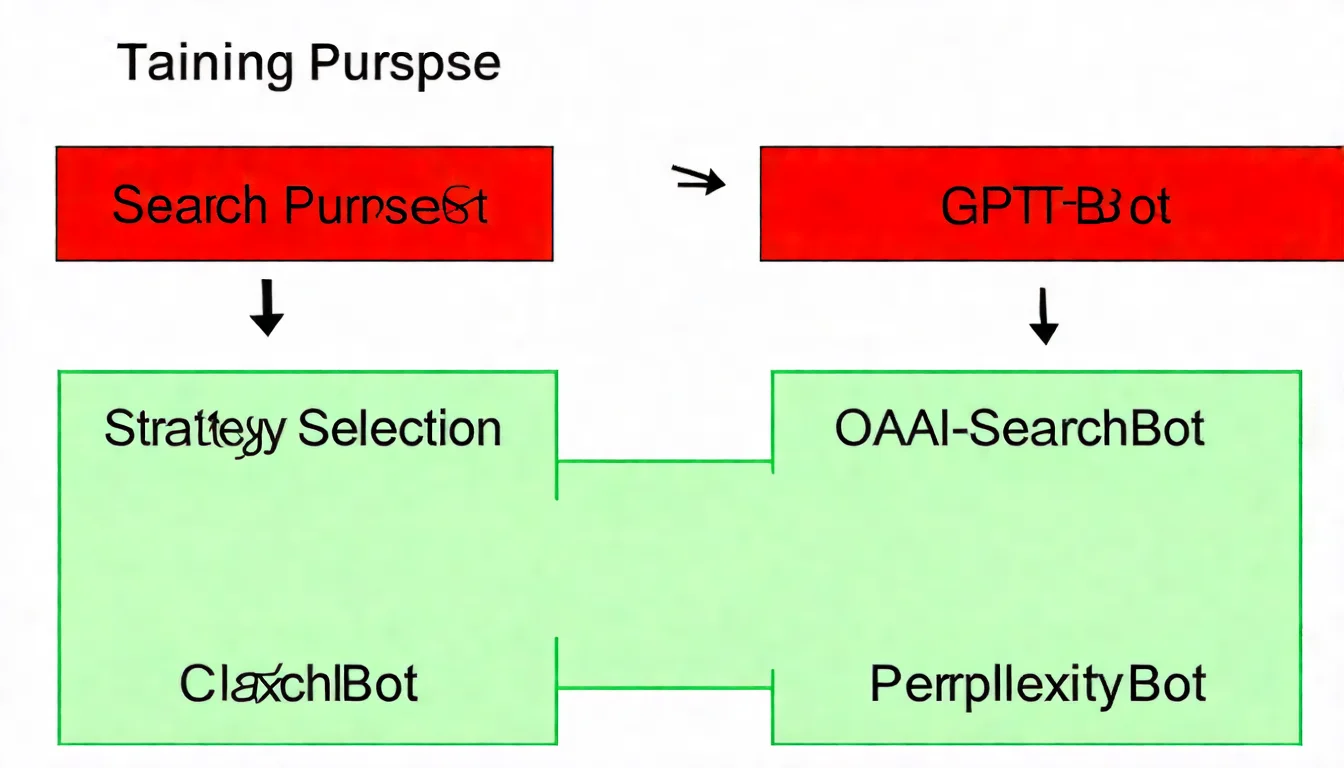
- Training crawlers: Fetch content to train AI models
- Search crawlers: Fetch content for real-time question answering
This distinction is important because you may want to allow "search" crawlers (to increase exposure) while blocking "training" crawlers (to protect content).
Overview of Major AI Crawlers
The current AI tool landscape is diverse, with each having different crawlers. Let's explore them one by one.
OpenAI Series
OpenAI, the company behind ChatGPT, operates several crawlers for different purposes:
| Crawler Name | User-Agent | Primary Purpose |
|---|---|---|
| GPTBot | GPTBot |
Training GPT models |
| OAI-SearchBot | OAI-SearchBot |
Inclusion in ChatGPT search results |
| ChatGPT-User | ChatGPT-User |
User-action-triggered fetching |
| OAI-AdsBot | OAI-AdsBot |
Verifying the safety of ChatGPT ad landing pages; not used for model training |
Key distinction:
- GPTBot: Your content will be used to "train" AI models
- OAI-SearchBot: Your content will be used to "answer" user questions in real-time
If you want ChatGPT to cite your website when answering questions, you need to allow OAI-SearchBot.
Anthropic Series
Anthropic is the company behind Claude:
| Crawler Name | User-Agent | Primary Purpose |
|---|---|---|
| ClaudeBot | ClaudeBot |
Training Claude models |
| Claude-User | Claude-User |
On-demand fetching when a user asks Claude to read a specific URL |
| Claude-SearchBot | Claude-SearchBot |
Claude's search indexing |
Current status: Anthropic has published formal crawler documentation defining the purpose and blocking method for each of the three bots. They are independent User-agent blocks, so blocking one does not affect the other two — which means Claude-User must be set explicitly. Otherwise you may think you've allowed access while actually blocking the exact path a user takes when asking Claude to read your site.
Other AI Crawlers
Beyond OpenAI and Anthropic, there are other important AI crawlers:
| Crawler Name | Company | Primary Purpose |
|---|---|---|
| PerplexityBot | Perplexity AI | Search-focused AI engine |
| Google-Extended | Controls whether content is used to train Gemini and for grounding in Gemini Apps / Vertex AI | |
| GoogleOther | Generic crawler used internally by various Google product teams | |
| Bytespider | ByteDance | TikTok parent company's AI crawler |
| Meta-ExternalAgent | Meta | Facebook/Instagram parent company |
This is the easiest thing to get wrong: the token that governs Google's AI training is Google-Extended, not GoogleOther. Google's own documentation is explicit that GoogleOther is a generic crawler and that "crawl preferences for GoogleOther do not affect any specific product."
Also note: Google-Extended only covers training and grounding. It does not affect Google Search indexing, and it cannot be used to opt out of AI Overviews or AI Mode — those run off regular Googlebot indexing. If you really want out, since August 31, 2026 Google has offered a toggle in Search Console, available to websites worldwide, that lets you decide whether your site appears in generative AI Search features such as AI Overviews and AI Mode (opting out also means no traffic or impressions from those features) (Google).
Complete AI Crawler Reference Table
Here is a complete list of current major AI crawlers:
| Crawler Name | Company | Category | Recommended Action |
|---|---|---|---|
| GPTBot | OpenAI | Training | Block if desired |
| OAI-SearchBot | OpenAI | Search | Recommended: Allow |
| ChatGPT-User | OpenAI | User-triggered | Recommended: Allow |
| OAI-AdsBot | OpenAI | Ad page verification | Configure as needed |
| ClaudeBot | Anthropic | Training | Block if desired |
| Claude-User | Anthropic | User-triggered | Recommended: Allow |
| Claude-SearchBot | Anthropic | Search | Recommended: Allow |
| PerplexityBot | Perplexity | Search | Recommended: Allow |
| Google-Extended | Training / grounding | Block if desired | |
| GoogleOther | Generic R&D | Configure as needed | |
| Bytespider | ByteDance | Mixed | Configure as needed |
Configuring AI Crawlers in robots.txt
Now that you understand the various crawlers, let's get into the actual configuration.
robots.txt Syntax Review
robots.txt is a plain text file placed in your website's root directory that tells crawlers "what content can be crawled and what cannot."
Basic syntax:
User-agent: [crawler name]
Allow: [allowed path]
Disallow: [blocked path]
Example:
User-agent: Googlebot
Allow: /


User-agent: BadBot
Disallow: /
How to Configure AI Crawlers
Configuring AI crawlers works exactly like configuring traditional crawlers — the only difference is the User-agent name.
Configuration 1: Allow Specific AI Crawlers
User-agent: OAI-SearchBot
Allow: /


User-agent: Claude-SearchBot
Allow: /


User-agent: PerplexityBot
Allow: /
Configuration 2: Block Specific AI Crawlers
User-agent: GPTBot
Disallow: /


User-agent: ClaudeBot
Disallow: /
Configuration 3: Allow Search, Block Training (Balanced Approach)
This is the most common strategy: let AI cite your content without using it for model training.
User-agent: OAI-SearchBot
Allow: /

User-agent: Claude-SearchBot
Allow: /

User-agent: PerplexityBot
Allow: /


User-agent: ChatGPT-User
Allow: /

User-agent: Claude-User
Allow: /


User-agent: GPTBot
Disallow: /

User-agent: ClaudeBot
Disallow: /

User-agent: Google-Extended
Disallow: /
Should You Allow or Block AI Crawlers? Strategy Analysis
This is the most frequently asked question. Let's analyze it from different angles.
Pros and Risks of Allowing AI Crawlers
Pros:
| Benefit | Description |
|---|---|
| Increased exposure | Content can be cited by AI tools, creating a new traffic source |
| First-mover advantage | Build AI visibility before competitors catch on |
| Free recommendations | Being cited by AI is essentially a free endorsement |
| Stay ahead of trends | AI search usage continues to rise |
Risks:
| Risk | Description |
|---|---|
| Content used for training | If training crawlers are allowed, content may be used for AI model training |
| No control | You can't control how AI presents your content |
Pros and Risks of Blocking AI Crawlers
Pros:
| Benefit | Description |
|---|---|
| Protect content | Content won't be used for AI training |
| Control usage | You decide how your content is used |
Risks:
| Risk | Description |
|---|---|
| Lost exposure | Miss out on visibility in AI search results |
| Fall behind competitors | Competitors get cited by AI while you don't |
The 2026 Blocking Wave vs. Traffic Reality
Two seemingly contradictory trends are unfolding in 2026:
- AI crawler traffic is up 300% year over year: Kinsta's "The AI & bot traffic reality check" report, citing Akamai's Digital Fraud and Abuse Report 2025, puts AI bot traffic growth at 300% in one year; TollBit found that by the end of 2025, roughly 1 in every 31 visits across its network came from an AI bot; and Cloudflare Radar's 2025 Year in Review found nearly 80% of AI crawling is for model training (Search Engine Journal report)
- News publishers are blocking en masse: 79% of top news publishers now block at least one AI training bot — yet 30% of AI bot scrapes don't comply with explicit robots.txt permissions anyway (Search Engine Journal report)
How to read this: the blocking wave is primarily a copyright stance by news media, whose business depends on licensing content — a completely different position from small businesses. For SMB content sites and company websites, copying that playbook and blocking search-purpose crawlers means going invisible in AI search and handing your exposure to competitors. The right move is still this guide's balanced strategy: allow search crawlers, manage training crawlers as needed, and watch crawler load on your server (protect expensive dynamic pages like carts and site search with caching or firewall rules instead of blanket blocking).
What to Watch If Your Site Runs on Cloudflare
If your website sits behind Cloudflare, 2026 adds a rule to your to-do list. On July 1, 2026, Cloudflare announced it would classify AI crawlers as Search, Agent, or Training and strongly encouraged AI companies to split multi-purpose automation into separate crawlers (Cloudflare) (TechCrunch report). Since September 15, 2026, new domains onboarding to Cloudflare are offered a recommended preset based on whether the site makes money from ads: ad-supported sites default to Search allowed, Training set to "Disallow AI Training," and Agent set to "Block on pages with ads," while sites without ads default to allowing all three; either preset can be changed (Cloudflare).
Some outlets framed this as "Google Gemini takes the biggest hit." But that's not Cloudflare's official verdict. The real reason: Google uses a single Googlebot to serve both search and Gemini training — a classic mixed-use crawler. When a rule forces search and training apart, the party running one combined crawler faces the highest re-engineering cost. Nobody is being singled out.
For you, the point isn't how Google adapts. It's avoiding the most common disaster: blocking training crawlers and accidentally taking OAI-SearchBot and Claude-SearchBot down with them. We've seen client sites do exactly this — one crude blocking rule, and the whole site vanishes from AI search. Set your Cloudflare bot management to follow this guide's balanced strategy: block training, allow search, and treat the two as separate jobs. One catch: since September 15, 2026, Cloudflare's Block and Block-on-pages-with-ads settings also apply to mixed-use crawlers such as Googlebot, Bingbot, and Applebot, so the wrong setting can take Google Search down too. To stop training while staying in Google Search, set Training to "Disallow AI Training," not "Block" (Cloudflare).
Recommended Strategies by Website Type
| Website Type | Recommended Strategy | Explanation |
|---|---|---|
| Content sites / Blogs | Allow all | Maximize exposure opportunities |
| E-commerce sites | Allow search crawlers | Let products be recommended by AI |
| Corporate websites | Allow search crawlers | Increase brand visibility |
| Privacy-sensitive sites | Consider blocking | Protect sensitive content |
| Paid subscription content | Block training crawlers | Protect the value of paid content |
Our Recommendation
For most websites, we recommend a balanced strategy:
- Allow search crawlers (OAI-SearchBot, Claude-SearchBot, PerplexityBot)
- Consider blocking training crawlers (GPTBot, ClaudeBot)
This way, you enjoy the benefits of AI search exposure while protecting your content from being used for model training.
For more strategic planning, check out our article on Enterprise GEO Strategy.
Not sure how to configure your setup?
Every website's situation is different. Let experts analyze the best strategy for you.
Get professional advice via LINE
Implementation Guide: Complete Configuration Examples
Now that the theory is covered, let's look at complete, real-world configuration examples.
Example 1: Maximize AI Exposure (Allow All Crawlers)
Best for: Content websites, blogs, maximum exposure goals
User-agent: Googlebot
Allow: /

User-agent: Bingbot
Allow: /


User-agent: GPTBot
Allow: /

User-agent: OAI-SearchBot
Allow: /

User-agent: ChatGPT-User
Allow: /


User-agent: ClaudeBot
Allow: /

User-agent: Claude-User
Allow: /

User-agent: Claude-SearchBot
Allow: /


User-agent: PerplexityBot
Allow: /


User-agent: Google-Extended
Allow: /


User-agent: GoogleOther
Allow: /


User-agent: *
Allow: /


Sitemap: https://yourdomain.com/sitemap.xml
Example 2: Balanced Strategy (Allow Search, Block Training)
Best for: Most business websites
User-agent: Googlebot
Allow: /

User-agent: Bingbot
Allow: /


User-agent: OAI-SearchBot
Allow: /

User-agent: ChatGPT-User
Allow: /

User-agent: GPTBot
Disallow: /


User-agent: Claude-SearchBot
Allow: /

User-agent: Claude-User
Allow: /

User-agent: ClaudeBot
Disallow: /


User-agent: Google-Extended
Disallow: /


User-agent: PerplexityBot
Allow: /


User-agent: *
Allow: /


Sitemap: https://yourdomain.com/sitemap.xml
Example 3: Conservative Strategy (Block Most AI Crawlers)
Best for: Sites with privacy concerns or paid content
User-agent: Googlebot
Allow: /

User-agent: Bingbot
Allow: /


User-agent: GPTBot
Disallow: /

User-agent: ClaudeBot
Disallow: /

User-agent: Google-Extended
Disallow: /

User-agent: Bytespider
Disallow: /


User-agent: OAI-SearchBot
Allow: /public/
Disallow: /members/
Disallow: /premium/


User-agent: *
Disallow: /members/
Disallow: /premium/


Sitemap: https://yourdomain.com/sitemap.xml
Verifying Your Configuration
After setup, perform the following verification steps:
Step 1: Check the file directly
Enter https://yourdomain.com/robots.txt in your browser and confirm the content displays correctly.
Step 2: Use testing tools
- Google Search Console's "robots.txt report" (the old robots.txt Tester has been sunset by Google and no longer exists in the interface). The report shows the fetch status and errors of robots.txt files for your top 20 hosts, and lets you request a recrawl
- To check whether a specific URL is blocked, use GSC's URL Inspection tool instead
- Online robots.txt validation tools
Step 3: Review server logs (advanced)
If you have access, check server logs to observe crawler access records.
Important notes:
- robots.txt changes take effect immediately
- But crawlers need to revisit to read the new configuration
- It usually takes several days to see results
- You cannot force crawlers to update immediately
Should You Set Up llms.txt Too?
robots.txt controls whether AI crawlers can come in. Another file that often comes up alongside it is llms.txt: a Markdown file that describes your site for AI.
| File | Function | Analogy |
|---|---|---|
| robots.txt | Controls access permissions | Security system |
| llms.txt | Provides a website description (not a formal standard; each AI company decides whether to read it) | A guidebook at the door that few people pick up |
Be clear about what it actually does:
- Google states there are no additional requirements to appear in AI Overviews and AI Mode, and you don't need to create new AI text files or special markup (Google); this applies to Google Search's AI features only
- An Ahrefs study published in June 2026 (data from May 2026) found that 28% of 137,000 domains using Ahrefs Web Analytics published an llms.txt file, and 97% of those files received zero requests during the whole of May (Ahrefs)
So you can set up llms.txt at low cost, but there is no evidence that it improves AI search visibility. What matters first is the robots.txt setup above: allow search crawlers such as OAI-SearchBot and Claude-SearchBot.
To decide whether your site needs it, see What Is llms.txt? Do You Actually Need It?.
FAQ
Q1: Will AI crawlers affect my website performance?
In 2026, yes — and more than most people assume.
Kinsta's 2026 report (drawing on infrastructure logs covering more than 10 billion requests, plus industry research) found that AI bot traffic grew 300% in one year (citing Akamai's 2025 report) and that the share of visits from AI bots rose from 1 in 200 to 1 in 31 (citing TollBit's Q4 2025 data). On Kinsta's own infrastructure, a single loop-mitigation rule filtered 550 million requests in 30 days, and add-to-cart URLs were hit 7.67 million times within 24 hours.
In other words, the server burden is real and significant. If you notice unusual traffic, you can:
- Check server logs to confirm the source
- Set Crawl-delay in robots.txt (supported by some crawlers)
- Filter with CDN or firewall, prioritizing expensive dynamic pages such as carts and on-site search
Q2: How long does it take for changes to take effect?
robots.txt changes take effect immediately, but:
- Crawlers need to revisit to read the new configuration
- This usually takes a few days to a week
- You cannot force crawlers to update immediately
- Be patient
Q3: Can I configure settings for specific pages or directories?
Yes. Simply use path rules:
User-agent: GPTBot
Disallow: /members/
Disallow: /premium/
Allow: /public/
This blocks GPTBot from accessing the /members/ and /premium/ directories while allowing access to the /public/ directory.
Q4: What happens if I don't set up robots.txt?
Not having a robots.txt is equivalent to allowing all crawlers to access all content.
This isn't necessarily bad, but you lose control. We recommend establishing at least a basic configuration.
Q5: Will AI crawlers obey robots.txt?
Some do — but never treat it as a guarantee.
Anthropic states its bots honor robots.txt, and OpenAI manages GPTBot and OAI-SearchBot through robots.txt — but OpenAI notes that for user-initiated ChatGPT-User requests, robots.txt rules may not apply. But robots.txt is a voluntary protocol with no enforcement mechanism, and there are two counterexamples you need to know about:
- TollBit's Q3–Q4 2025 data indicates roughly 30% of AI crawls do not honor explicit robots.txt permissions
- In August 2025, Cloudflare accused Perplexity of using undeclared stealth crawlers to bypass site blocks, and removed it from the verified bot list (Perplexity denies the accusation)
The takeaway: still set up robots.txt — it's the most formal way to declare your intent. But if some content absolutely must not be crawled, you need server-level or WAF-level blocking on top of it. robots.txt alone is not enough.
Key Takeaways: Complete Summary of AI Crawler Configuration
Congratulations on completing this comprehensive guide! Let's do a quick review:
| Key Point | Description |
|---|---|
| Purpose of AI crawlers | Train AI models or provide real-time search |
| Major crawlers | OpenAI (GPTBot, OAI-SearchBot, OAI-AdsBot), Anthropic (ClaudeBot, Claude-SearchBot, Claude-User), PerplexityBot, Google-Extended |
| Configuration method | Use User-agent, Allow, and Disallow in robots.txt |
| Recommended strategy | Allow search crawlers; decide on training crawlers based on your needs |
| llms.txt | Optional and low-cost, but no evidence that it improves AI search visibility |
AI crawler configuration is just the technical foundation of GEO optimization. To truly get AI to cite your content, you also need content strategy, structural optimization, and other comprehensive considerations.
AI Crawler Setup Is Just the First Step
Complete GEO optimization requires both technical configuration and content strategy. Let experts help you plan a comprehensive AI visibility optimization strategy:
Free consultation via LINE | View service plans
Further Reading
- Search Console AI Performance Report: The Complete Guide: once crawlers are in, verify your AI search exposure with the official report
References
- OpenAI Crawler Official Documentation
- Anthropic's three Claude crawlers, explained (Search Engine Land report)
- Google's common crawlers documentation (covers Google-Extended and GoogleOther)
- GEO: Complete Guide to Generative Engine Optimization
- What Is llms.txt? Do You Actually Need It?
- Enterprise GEO Strategy