Google Business Profile is free, yet many stores overlook this powerful marketing tool.
When customers search for "restaurants near me" or "dentist in Taipei," the stores that appear on the map all have Google Business Profiles.
If you don't have one, you're missing out on these potential customers.
This article walks you through setting up, optimizing, and managing your Google Business Profile step by step.
Want professional help optimizing your Google Business Profile? Get a free audit via LINE.
👉 Free LINE Consultation: @006ljkda
Google Business Profile Basic Setup
Creating a New Business Profile
Setup Steps:
Step 1: Go to Google Business Profile
Go to business.google.com/add — this is Google's current entry point for creating a new business listing.
A note on the dashboard: since 2024, the standalone dashboard has been heavily pared back. Day-to-day upkeep for a single-location business (changing hours, publishing posts, replying to reviews) now happens in the inline editor right inside Google Search or Google Maps. business.google.com is mainly for multi-location business groups, user permissions, and integrations such as Google Ads.
Step 2: Sign in with Your Google Account
Log in with your Google account. We recommend using a dedicated business account.
Step 3: Search for Your Business
First, check if your business already exists. If it does, you'll need to claim it.
Step 4: Create a New Business
If it doesn't exist, follow the on-screen prompt to register your business with Google, then fill in your business details.
Step 5: Enter Basic Information
- Business name
- Category
- Address or service area
- Contact information
Verifying Business Ownership
Why is verification needed?
Verification proves you are the owner or manager of the business. Without it, you cannot fully manage your business profile.
Verification Methods:
| Method | Description | Wait Time |
|---|---|---|
| Video recording | Record a video following the on-screen prompts, proving your location and that the business is operating | A few days |
| Phone / SMS | Automated voice call or text message with a code | Instant |
| Verification link sent to business email | Instant | |
| Video call | A live video call with Google where you show proof of your business on site | Depends on available slots |
| Postcard | Google mails a postcard with a verification code to your address | Typically within 14 days |
| Search Console instant | For websites already verified in Search Console | Instant |
Verification Tips:
- Google's help page lists video recording as the recommended method for eligible businesses, and in practice most new listings are pushed down this path
- Google also notes that not all businesses can verify by postcard — it has moved from default path to conditional fallback, so it's normal not to see the option at all
- Postcards may get lost in the mail; if the option is still offered, you can request a new one
- Make sure your phone number is correct before using phone verification
- Available verification methods vary by business type (Google's official help page)
Basic Information Guide
Required Information and Recommendations:
Business Name
- Use your official business name
- Don't stuff keywords (violates Google's policy)
- Example: "ABC Dental Clinic," not "Best Cheap Dentist in Town"
Address
- Provide a complete, accurate address
- Keep it consistent with your signage and business registration
- Service-area businesses can choose to hide their address
Phone
- Use a local phone number
- Avoid using toll-free or call center numbers as your primary phone
Website
- Link to your official website
- If you don't have a website, you can link to your Facebook page
Business Hours
- Set accurate business hours
- Remember to set special hours for holidays
Business Category Selection Strategy
Why Categories Matter:
Categories determine which searches your business appears in. Choosing the wrong category means your target customers may not find you.
Selection Strategy:
1. Primary Category
- Choose the category that best represents your business
- Be specific, not too broad
2. Secondary Categories
- Add 2-5 additional categories
- Cover your other services
Examples:
Coffee shop:
- Primary: Coffee shop
- Secondary: Breakfast restaurant, Dessert shop, Wi-Fi hotspot
Dental clinic:
- Primary: Dental clinic
- Secondary: Teeth whitening service, Dental implant provider, Pediatric dentist
Profile Optimization Tips
Business Name Optimization (Following Guidelines)
Google's Business Name Policy:
- Use your real business name
- The name must match your signage, receipts, and legal documents
- Do not add unnecessary information
What's NOT Allowed:
✗ Cheapest Dentist in Taipei - ABC Clinic
✗ ABC Clinic | Implants, Orthodontics, Cleaning
✗ ABC Clinic (Xinyi District)
What IS Allowed:
✓ ABC Dental Clinic
✓ ABC Clinic
Consequences of Violations:
- Your business profile may be suspended
- A re-review will be required to restore it
Writing an Effective Business Description
What is the business description?
A text section of up to 750 characters that describes your business. This is your opportunity to introduce yourself.
Writing Tips:
1. Lead with the Key Points The first few sentences matter most, as they're displayed first.
2. Include Core Services Naturally mention your main services.
3. Highlight What Makes You Unique What sets you apart? Why should customers choose you?
4. Include a Call to Action Encourage customers to book an appointment or visit your store.
Example:
ABC Dental Clinic is a professional family dental practice
in the Xinyi District, offering general dentistry, implants,
orthodontics, and whitening services.

We're known for unhurried appointments where the dentist
thoroughly explains every treatment plan so you feel
confident and comfortable.

Our clinic features modern equipment, a comfortable
environment, free Wi-Fi, and a relaxing waiting area.

We look forward to serving you — book a consultation today!
Business Hours and Special Hours
Regular Business Hours:
Set your daily operating hours. Mark days you're closed as "Closed."
Special Hours:
Business hours for holidays or special occasions:
- Lunar New Year period
- National holidays
- Anniversary events
More Hours:
Some business types can set different hours for specific services:
- Takeout hours
- Delivery hours
- Consultation hours
Important Reminders:
- Keep hours accurate
- "Open now" is a search advantage
- Wrong hours lead to disappointed customers
Setting Up Services and Products
Adding Services:
List all your service offerings:
- Service name
- Service description
- Price (optional)
Adding Products:
If you sell products, you can list:
- Product photos
- Product name
- Price
- Product description
- Purchase link
Benefits:
- Lets customers know what you offer
- Increases your profile completeness
- May appear directly in search results
Photos and Videos
Essential Photo Types
Google Business Profile Photo Types:
| Photo Type | Description | Recommended Quantity |
|---|---|---|
| Logo | Your logo | 1 |
| Cover photo | The main photo representing your business | 1 |
| Exterior | Storefront exterior to help customers find you | 3+ |
| Interior | Indoor environment | 5+ |
| Team | Staff photos | 2+ |
| Products/Services | What you offer | 5+ |
Aim for at least 10-20 photos total.
Photo Naming and Optimization Tips
Optimize Before Uploading:
1. File Name Use descriptive file names instead of IMG_001.jpg
✗ IMG_001.jpg
✓ taipei-xinyi-dentist-clinic-entrance.jpg
2. File Size
- Recommended: 10KB-5MB
- Too large = slow upload
- Too small = poor quality
3. Resolution
- At least 720 x 720 pixels recommended
4. Quality
- Good lighting
- Clear and sharp
- Show your best side
Video Upload Recommendations
Google Business Profile supports video:
Specifications:
- Maximum 30 seconds
- Maximum 75MB
- 720p resolution or higher
Suggested Video Content:
- Indoor environment tour
- Service process showcase
- Team introduction
- Customer testimonials
Photo Update Frequency
Why Keep Updating?
- New photos are prioritized in display
- Shows your business is active
- Builds up your visual content library
Update Recommendations:
- Add at least 1-2 new photos per month
- Upload photos of new events or products
- Share seasonal or holiday-themed photos
Posts require consistent output. Let AI help you create localized content.
Google Business Profile Post Strategy
Post Types
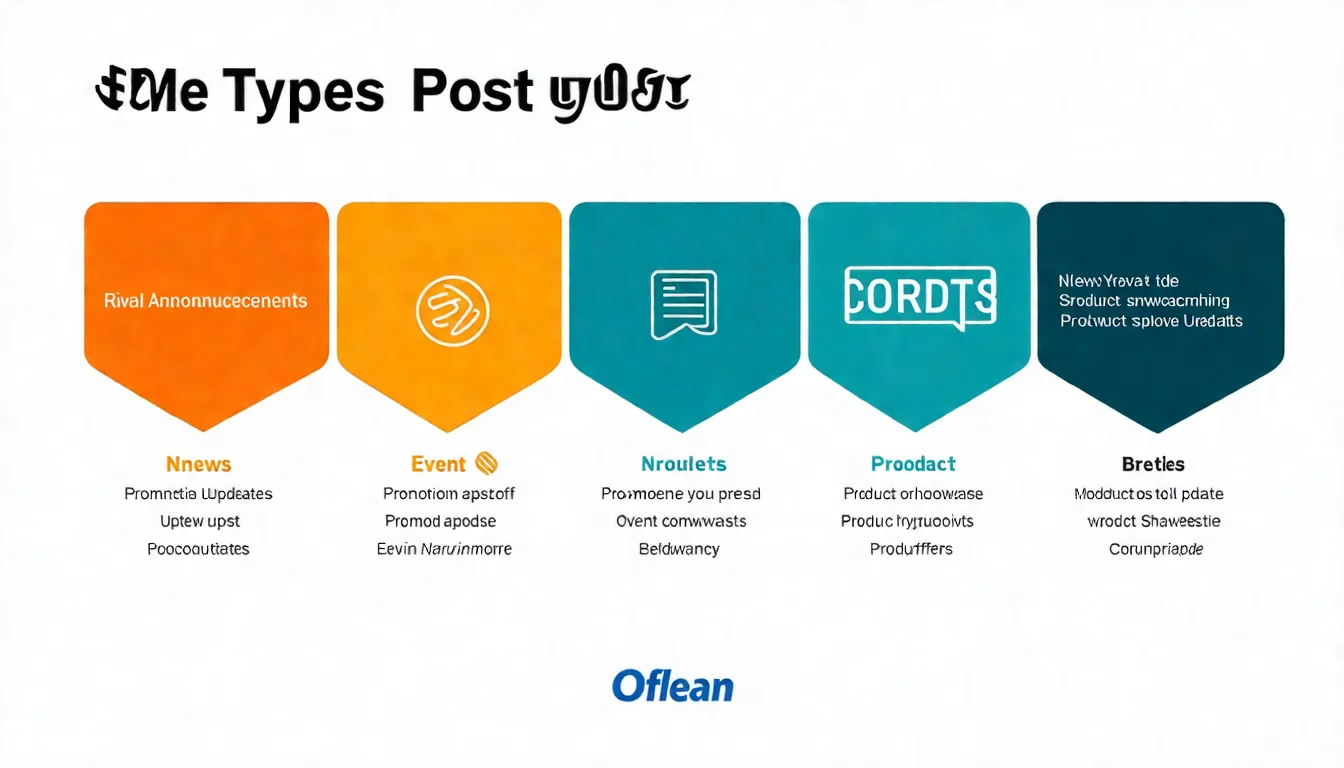
Google Business Profile supports multiple post types:
| Type | Purpose | Duration |
|---|---|---|
| What's New | General information sharing | Posts without a date range are archived after 6 months |
| Offer | Promotions and discounts | Until offer ends |
| Event | Events with specific dates | Until event ends |
Google's help page lists exactly these three post types: What's New, Offer, and Event (Google's official help page).
"Product" is not a post type: to list products, use the separate Products editor in your business profile. It is a different flow from publishing a post, so don't look for a product option on the post creation screen.
Post Writing Tips
Elements of Effective Posts:
1. Attention-Grabbing Opening The first few words need to capture attention.
2. Clear Content Clearly state the post's main point.
3. Include a Photo Posts with photos get better engagement.
4. Call-to-Action Button Tell customers what to do next:
- Book now
- Learn more
- Call now
- Visit store
Example:
Anniversary Sale Is Here!

From now through 1/31, enjoy 20% off all dental cleanings.

New patients get a free first consultation plus a
complimentary gift.

Limited spots available — call to book your appointment!

[Call Now]
Recommended Posting Frequency
Suggested Posting Schedule:
- Minimum: 1-2 times per month
- Ideal: Once per week
- Best: 2-3 times per week
Content Planning:
- Monday: Weekend hours reminder
- Wednesday: Service or product spotlight
- Friday: Weekend event preview
- As needed: Promotions, new products, holidays
Tracking Post Performance
Monitor in the Performance report:
- Post views
- Click count
- Which post types perform best
Adjust Based on Data:
- Which posts get the most engagement?
- What posting times work best?
- What topics are most popular?
The Q&A Feature Has Changed — Here's How It Works Now
Google Has Changed This Feature
If you've read older guides telling you to "ask a question from your personal account, then answer it from your business account," don't bother — customers now ask their questions directly in Google Maps.
On December 3, 2025, Google announced in the official Google Business Profile Help community that it was changing the Q&A feature on Google Maps: customers now ask directly in Maps and get an instant answer based on the business's answers and relevant reviews, while businesses answer aggregated customer questions (official announcement). The My Business Q&A API for developers was shut down on November 3, 2025 (Search Engine Roundtable report).
In practical terms:
- Customers now ask directly in Google Maps and get an instant generated answer; you answer aggregated customer questions from Google instead of replying to individual public threads
- Per Google's announcement, published Q&As continue to inform Google's understanding of your business and may be shown in Maps, and you can still answer existing questions in your profile's Q&A section
- You no longer need to watch for and reply to every new public Q&A thread, but old Q&As may still appear in Maps, so check them occasionally for accuracy
What Replaced It: AI-Generated Answers
Customers now ask directly in Google Maps, and Google says the answer is generated from your (the business's) answers and relevant reviews. It's no longer a public question-and-answer thread.
That changes how you control the answer — from "write the Q&As yourself" to "feed the AI accurate data":
1. Fill in every business profile field
Everything you used to put in a Q&A now belongs in the corresponding field: hours, services, products, and attributes (parking, accessibility, Wi-Fi, vegetarian options, and so on). Empty fields mean the AI has nothing to work with.
2. Take your reviews seriously
Review content is one of the inputs for AI-generated answers. When you reply to a review, spell out the correct information (if a customer says they couldn't find parking, explain the parking situation in your reply) — you're feeding data indirectly.
3. Make your website specific
Write clear, specific FAQ and service pages so there's something concrete to draw from.
4. Regularly search for your own business the way customers would
Check whether the AI's answer is right. If it's wrong or incomplete, go back and fix the three sources above — not just the old Q&A threads.
Data Analysis and Insights
Reading the Business Profile Performance Report
First, the name: the old Google My Business report was called "Insights." The current dashboard calls it Performance, with a separate "Insights" analytics view alongside it. Searching for the old label won't get you there.
What Does the Performance Report Show?
Google's help page lists these metrics: interactions, searches, views, directions, calls, website clicks, messages, bookings, products, menus, and offers (Google's official help page). Three useful groupings:
1. How People Searched for You
- The "searches" section lists the actual search terms that drove impressions
2. Where Users See You
- Google Search
- Google Maps
3. Actions Users Take
- Visit website
- Request directions
- Make a phone call
- Send a message or book
A trap in older guides: the old Insights split of direct / discovery / branded searches was dropped in the move to the Performance report, and it isn't among the metrics Google's help page lists today.
Key Metrics to Track
Important Metrics:
| Metric | Description | Importance |
|---|---|---|
| Views | How many times you were seen | High |
| Search terms | What keywords people used to find you | High |
| Interactions | Phone calls, website visits, etc. | High |
| Calls | How many people called you from the profile | Medium |
| Directions | How many people navigated to your location | Medium |
(The old "photo views" metric was never migrated from Insights to the Performance report — it has been retired, so don't set targets against it.)
Optimizing Strategy Based on Data
What Does the Data Tell You?
If impressions are low:
- Check if categories are correct
- Add more service and product information
- Keep publishing posts
If actions are low:
- Improve photo quality
- Optimize your business description
- Increase review count
If phone calls are low:
- Confirm your phone number is correct
- Emphasize "call to book" in your description
Managing Your Business Profile in the Gemini App (New in June 2026)
Google is integrating Business Profile tools into the Gemini app. After connecting your profile to Gemini with a single click, you can handle these tasks conversationally:
- Performance analysis: Just ask to see search impressions, direction requests, calls, and customer interactions
- Review management: Have Gemini draft review replies, then confirm and send manually
- Profile editing: Update business hours, publish seasonal updates, and fill in profile gaps
- Business notebook: Bring conversations, resources, your Business Profile, and website information together, with context preserved across sessions
Timeline and limits: Google's official blog announced on June 10, 2026 that the Business Profile connection and business notebooks were "rolling out globally this month" (excluding the EEA and UK). Per Google's help page, it currently works only in the Gemini web app (gemini.google.com), only for owners or managers of a single verified Business Profile, and only in Dutch, English, French, German, Hindi, Indonesian, Italian, Japanese, Polish, Portuguese, Spanish and Turkish — Chinese is not supported yet — and it is being released gradually (Google Business Profile Help).
What this means for local businesses: the maintenance barrier drops another level — instead of clicking through the dashboard, you'll handle day-to-day upkeep in a Gemini conversation. Every optimization principle in this guide (categories, descriptions, photos, posts, reviews) stays exactly the same; only the entry point changes. The sooner your profile data is complete, the more these AI tools can do for you.
FAQ
How long does verification take?
Timing varies by verification method:
- Phone/Email: Instant
- Postcard: Google says it typically arrives within 14 days (sometimes longer), and not every business is offered this option
- Video recording: review takes up to 5 business days (per Google)
If it takes longer than expected:
- Request a new postcard, if the option is still offered
- Contact Google Support
What if my business is marked "Permanently Closed"?
Possible reasons:
- Someone reported it incorrectly
- Google's system made an error
- The business was actually closed at some point
Resolution Steps:
- Log in to your Business Profile manager
- Find the "Mark as open" option
- Update your business status
- If unresolved, contact Google Support
Can I have multiple Google Business Profiles?
Yes, if:
- You have multiple locations at different addresses
- Each address needs its own business profile
No:
- Creating multiple profiles for the same address
- Creating profiles for nonexistent addresses
Why Google Business Profile Is the Foundation of Local SEO
Key Takeaways:
-
Setup and verification are the foundation
- You must set up a profile to be found
- Verification is required for full management
-
Information must be complete and accurate
- Fill in every available field
- Ensure consistency across all platforms
-
Photos matter
- Upload high-quality photos
- Update regularly
-
Ongoing management is essential
- Publish posts
- Manage reviews
- Put common questions into your profile fields and website (the Maps Q&A feature has changed)
-
Use data to optimize
- Track the Performance report
- Adjust your strategy based on data
Learn more about Local SEO in our complete guide.
Learn about Review Management in our review management guide.
Google Business Profile management requires ongoing content. Get an AI-powered solution via LINE.