![Bing AI Performance Report: Copilot Citations [2026]](/_next/image?url=%2Fblog%2Fimages%2Fgeo%2Fbing-ai-performance-report-01.webp&w=3840&q=75)
Has Copilot used one of your articles to answer a question? Bing now has an official report that tells you directly.
It's called AI Performance, and it lives in Bing Webmaster Tools. You can see which pages Microsoft Copilot and Bing AI summaries cited, and what phrases AI used to find your content. But the data is sampled, so you can't use it to prove how many citations a particular update brought in.
This article walks through the report from start to finish: what each metric means, how to read Topics Portfolio (added in October 2026), how to use the data to improve your content, and which conclusions you can't draw. If you want to know where you stand in Bing AI search, this report is the easiest place to start.
Key takeaway: AI Performance tracks how your content gets cited in Microsoft Copilot, Bing AI summaries, and select partner AI answers, with data updated daily. The official help states it doesn't measure ranking, authority, or importance, the data is sampled, and trends can't be attributed to a single cause (Bing Help, 2026).
What Is the AI Performance Report? Copilot, Bing AI Summaries, and Partner AI
AI Performance is a report in Bing Webmaster Tools that tracks how your content gets cited in AI answers. According to the Bing help page, it covers three places: Microsoft Copilot, AI summaries in Bing search, and select partner AI services (Bing Help, 2026).
Its official purpose is spelled out clearly: it tells you which pages were cited, how citation volume changes over time, and the grounding queries tied to your content.
People searching for terms like "ai citations" want exactly this: a record of how many times AI cited their site. In the past, the only way was to ask AI questions yourself, one by one. Now, at least for Copilot, there are official numbers.
The report's timeline is short:
- February 11, 2026: AI Performance launched as a public preview
- June 16, 2026: four preview features added: Intents, Topics, Citation Share, and Compare
- October 13, 2026: Topics Portfolio (beta) added
These dates come from the announcement list on the official Bing blog (Bing Webmaster Blog, 2026).
Where Copilot Search Citations Show Up
Plenty of people search for "copilot search", "search copilot", or "copilot search engine" to find out whether Copilot has used their site in answers. The answer is in this report.
When a user asks Copilot something, the web pages listed as sources in the answer count toward AI Performance citations. The help page lists "Microsoft Copilot" as one single item. So when you read the numbers, treat them as Copilot as a whole, and don't split them into separate products on your own.
The same goes for partners. The help page says "Select partner AI integrations", and the list is whatever Bing announces later. Until then, don't treat the report's numbers as data for any specific AI.
If you haven't set up Bing Webmaster Tools yet, the steps from verification to your first data are in the Bing Webmaster Tools guide. If you already have Google Search Console, importing is the fastest way.
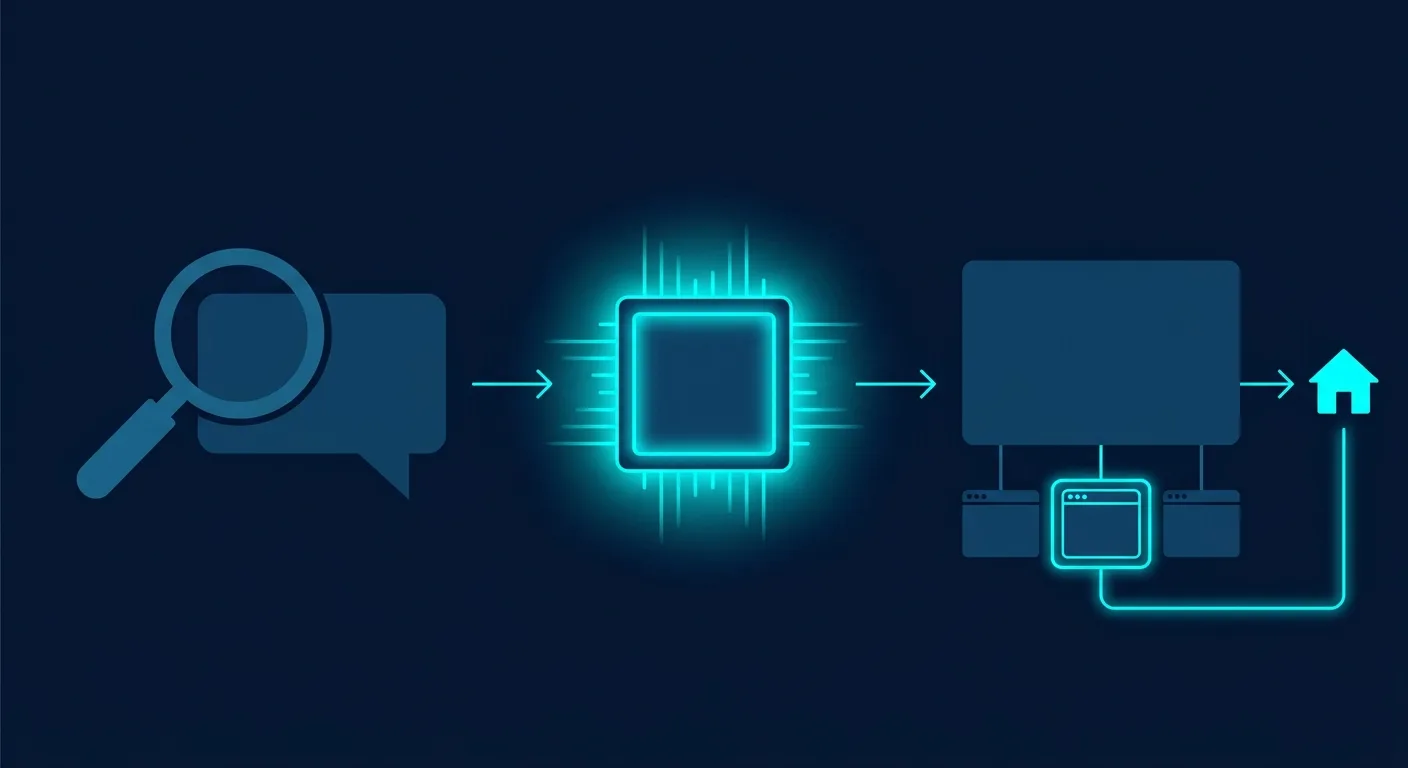 Caption: A user asks a question → AI retrieves content → the answer lists the cited pages. AI Performance counts that last step.
How to Read the Three Core AI Citation Metrics: Cited Pages, Average Cited Pages, Grounding Queries
AI Performance numbers fall into three core areas: cited pages, average cited pages, and grounding queries. The help page adds a specific reminder: "AI Performance does not measure rankings, authority, performance, or importance. It simply shows which content was cited." In other words, it only records who got cited. It doesn't judge quality (Bing Help, 2026).
At the top of the report there's also a total, Total Citations: the total number of times your content was visibly cited or listed as a source in AI answers during the selected period.
| Metric | Official definition (our summary) | Good for | Can't tell you |
|---|---|---|---|
| Total Citations | Total times content was visibly cited or listed as a source in the period | The overall trend of AI citations | How many clicks or how much traffic it brought |
| Pages Cited / page ranking | How many times a URL was visibly cited | Which articles AI cites most | Which page matters most or ranks highest |
| Average Cited Pages | Average number of unique pages cited per day in the period | Whether citations cluster on a few pages or spread across many | How authoritative the site is |
| Grounding Queries | Key phrases AI used when retrieving your cited content | What topics AI used to find you | Which exact sentence a user asked |
For the page ranking view, the help page adds one more line: "This view reflects how often pages are cited, not their importance, ranking, or role within a response." The most-cited page isn't necessarily the one playing the biggest role in the answer.
Of the three metrics, average cited pages is the one people most often overlook. If total citations are high but only one or two pages get cited per day on average, AI only knows a handful of your articles. The fix then isn't to push those few harder. It's to look at why the other pages aren't being used.
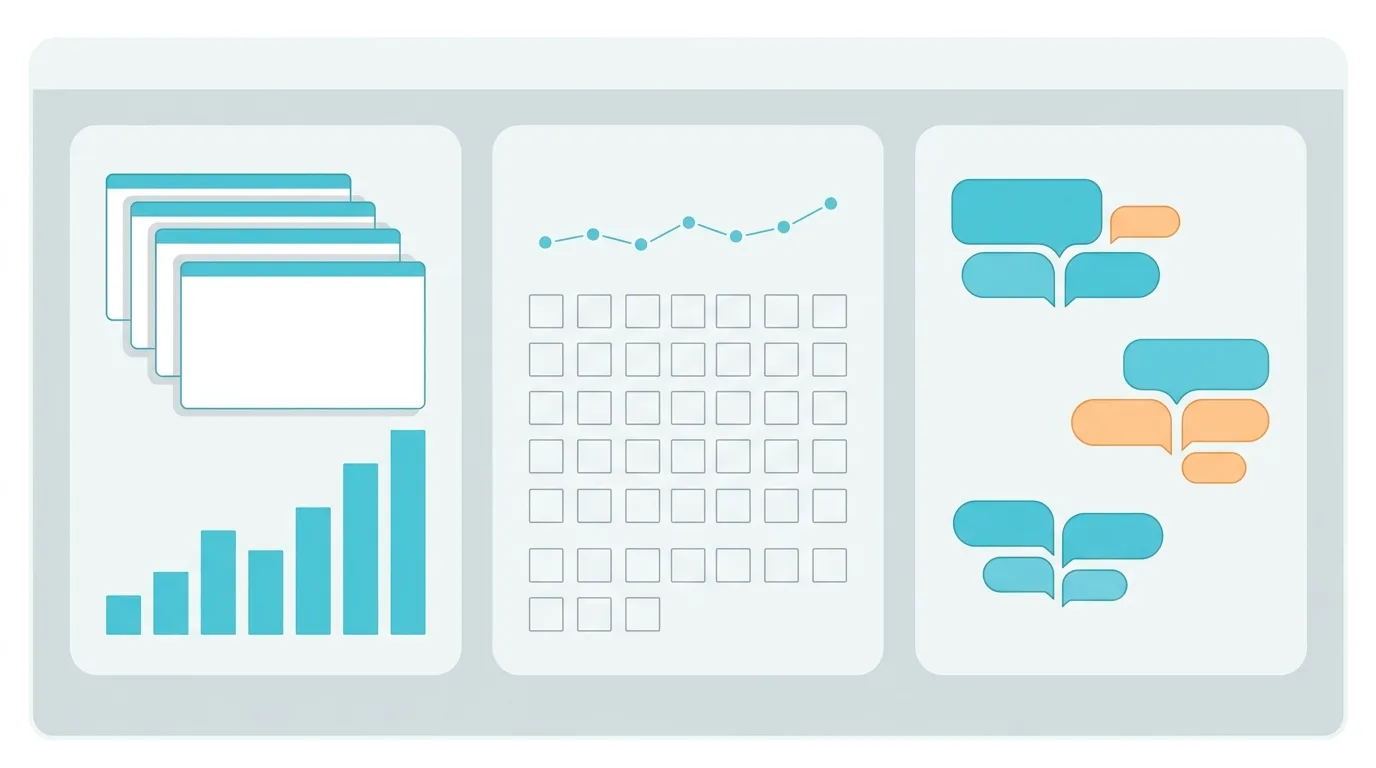 Caption: The three core AI Performance metrics: cited pages, average cited pages, and grounding queries.
What Are Grounding Queries? Not the User's Original Question
Grounding queries are the short phrases AI uses when it goes looking for information. The official text says: "They are not full user questions or prompts." These phrases are grouped, so similar questions get rolled into one short term.
The example on the Bing help page is solar energy: if your content is cited in answers about solar energy, the report might show phrases like solar energy or solar panels.
In a Taiwan context (illustrative): a site selling home solar panels might see short terms like solar panels or rooftop solar in the report, not the full question a user typed, such as whether installing solar panels on their roof is worth it.
Two more rules to remember:
- One grounding query can map to many pages, and one page can appear under many grounding queries
- Different AI services may decide grounding queries differently, so the wording shown can vary
Query and Page Mapping: Filter One Side at a Time
Grounding Query – Page Mapping links the two views. Click a query to see which pages were cited. Click a page to see which queries it maps to.
The limit is that you can only filter one side at a time. You can't filter by query and page together. For cross-analysis, Bing suggests exporting the data and working on it yourself. Exports apply your current filters and come as CSV or Excel.
You may run into something odd: the same query-and-page pair shows different numbers depending on which direction you filter from. That's because the two sides use slightly different sampling windows. The official text says "This is expected and does not indicate missing or incorrect data", so there's no need to report it as a bug.
You can pick 7 days, 30 days, 3 months, or a custom range (within available history). Data updates daily, with a short processing delay.
Four Preview Features Added in June 2026
The help page also lists four preview features that let you look at citations in more detail:
| Feature | What it does | Official caveat |
|---|---|---|
| Intents | Sorts grounding queries by intent, e.g. Informational, Commercial, Comparison, Planning, Local | Labeled by an AI/ML classifier, may be inaccurate |
| Topics | Groups related grounding queries into topics | Groupings may not fit perfectly |
| Citation Share | Your site's % of all citations for a given grounding query | Doesn't show competitor domains |
| Compare | Overlays the previous period for comparison: solid line is this period, dashed line is the comparison period | Shows change only, doesn't explain why |
Citation Share is the easiest to misread. The official text says "It does not represent rankings, traffic, or a quality score." A high share doesn't mean you rank first for that query.
How to Read Topics Portfolio (Beta): Opportunity Queries Are Where Others Get Cited and You Don't
Topics Portfolio is a beta feature added to AI Performance on October 13, 2026. It groups the grounding queries you've appeared in into broader topics, and lists opportunity queries where other sites get cited but you don't (Bing Webmaster Blog, 2026).
It's a new tab next to "Citations & Pages" in AI Performance. But not every site can see it. The official condition is "If there is sufficient data for your site", meaning it only shows up when there's enough data.
Our news feed picked up this announcement the week of October 13. Reading it section by section, we noticed the first part says "Topics Portfolio tab", while the how-to at the end says "select the Topics tab". So this article calls it Topics Portfolio (the dashboard tab may show as Topics). Go by the actual name on your screen.
How to Read the Four Columns in the Topic Table
| Column | Official meaning | Plain reading |
|---|---|---|
| Topic | A topic made up of related grounding queries, where your site appears | Which category you're filed under in AI search |
| Topic Size | Approximate total citations across all sites for this topic in the period | How big the demand for this topic is in AI search |
| Sites Cited | Approximately how many sites are cited for this topic | How crowded the topic is |
| Queries | Approximately how many unique grounding queries are in this topic | How many ways people ask about it |
All three number columns are approximate. Bing's wording is "Treat the numbers as directional signals for planning, not as a precise ledger." Fine for setting priorities, not for doing accounting.
Below the topic table is Top Opportunity Queries: the strongest queries across your whole portfolio where other sites appear and you don't. Citation volume here is deliberately shown as ranges, not exact numbers.
Click into any topic and you'll see three number cards at the top (Topic Size, your citations in this topic, number of queries), and two tables below:
- Your Grounding Queries: the queries in this topic where you already appear
- Opportunity Queries: queries in the same topic where others get cited and you don't yet
Bing also stresses that these topics and opportunity queries come from your own site's actual presence in AI search. The original text says "not from a generic ecosystem list".
Four Limits to Know Before Using It
The announcement itself lists four:
- Topic grouping is AI-generated and is sometimes wrong
- Topics without enough presence or overall activity aren't shown. The original text says "smaller sites may see a shorter list or may not even see this feature"
- Brand terms may show up as opportunity queries. Bing's example: under a running shoes topic, a running shoe site might see another brand's shoe model names listed as opportunities
- Topic Size, Sites Cited, and Queries are all approximate
Number 3 is the most practical one. When you get the opportunity query list, the first thing to do is delete other companies' brand terms. Those aren't something you can win by writing an article.
Also, among the columns the announcement lists, the only one about other sites is an approximate count (Sites Cited). There's no column listing site names. So don't expect to use it to find out who your competitors are. And for Citation Share, the help page states that competitor domains are not disclosed.
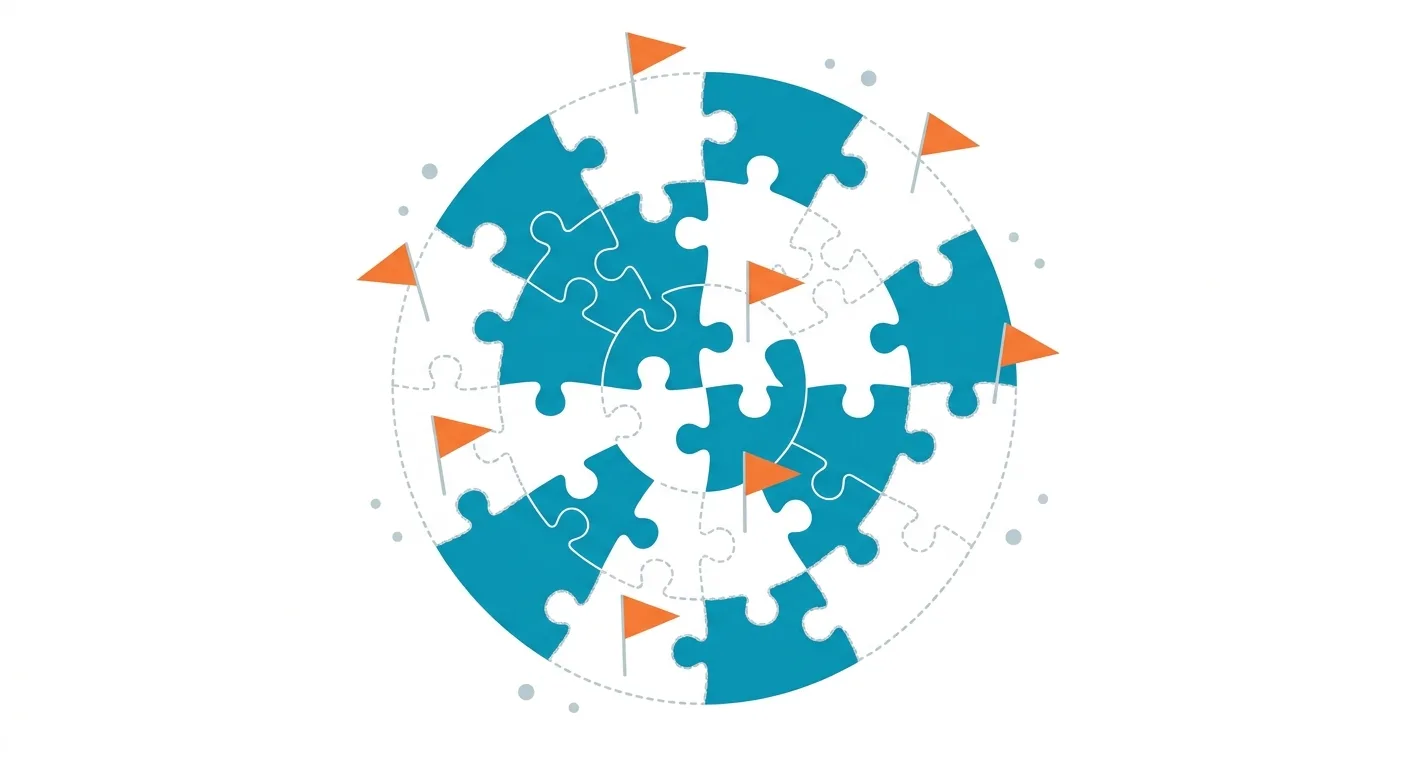 Caption: Solid marks are queries where you're already cited. Dashed marks are opportunity queries where others get cited and you don't yet.
How to Use AI Performance to Improve Content: 5 Steps to Find Gaps from Grounding Queries
The Bing help page lists a few content recommendations: match user intent, add depth, make structure clear with descriptive headings, tables, and FAQs, back claims with data and sources, and keep content fresh and accurate (Bing Help, 2026). The 5 steps below are what we recommend, and each one notes the official guidance it's based on.
| Step | What to do | Official basis |
|---|---|---|
| 1 | In the main report, choose 3 months and export grounding queries and page citation data | The main report offers 7 days, 30 days, 3 months, or custom; export to CSV or Excel |
| 2 | Compare cited phrases with their pages, and check whether it's the article you want cited | Grounding Query – Page Mapping works in both directions |
| 3 | Open Topics Portfolio (choose 1 to 3 months), delete brand terms, and pick opportunity queries related to your services | Bing suggests choosing 1, 2, or 3 months, looking first at topics where citations already concentrate, then at opportunity queries |
| 4 | Add content: descriptive headings and tight paragraphs, tables and FAQs, data and sources, updated information | The help page's content recommendations |
| 5 | After changes, use Compare to look at before and after, but treat it only as an observation | Compare shows change only, it doesn't prove cause |
Step 2 often turns up one situation: what AI cites isn't the article you most want to push, but an old post or a category page. When that happens, check your internal links so the old post sends readers to your main page, and the main page's topic stays more focused.
When picking opportunity queries in step 3, ask yourself one question: are we actually qualified to answer this? Forcing out content on popular queries unrelated to your business only dilutes your site's focus.
For how to structure step 4, see content chunking that AI can read. For what kind of content AI is more likely to cite, see a content strategy that gets cited by AI.
Bing's FAQ also lists several possible reasons a page has never been cited: it isn't very relevant to common questions, it isn't clear or deep enough, it's outdated, or other sources beat it. Checking your pages one by one against these four points works better than editing on gut feeling.
💡 Haven't set up Bing's tool yet, and want to know how AI sees your site right now? Start with a Free AI visibility check
Limits of AI Performance: The Numbers Show Direction, and Trends Can't Be Attributed
AI Performance numbers only show direction. You can't use them to prove cause and effect. The help page says: "These trends reflect aggregated citation activity only and cannot be attributed to a specific cause or event." A change in citations doesn't represent the effect of any particular update, model change, or content edit (Bing Help, 2026).
Bing gives three possible sources of change: shifts in the volume or type of user questions, updates you made to your content, and AI system or model updates. They can happen at the same time, and you can't tell which one is the main cause.
A few more limits, summarized from the original text:
- Sampled, not a complete record: the text says "The data shown represents a sample of overall citation activity." Not every citation appears, and totals across views may not match
- Too few citations means nothing shows: if there are too few citations in the period, grounding queries won't appear. The text says "This is expected and does not indicate a penalty or exclusion." You haven't been penalized
- Citations aren't clicks: the official FAQ asks "Do citations represent clicks or traffic?" The answer is "No."
- Only reflects indexable content: the text says "As with Bing search, AI Performance reflects only content that is eligible for indexing." Pages Bing can't index are invisible to this report
The last one is worth a moment. Bing's index directly affects whether you can see Copilot citations in the report. Which settings block Copilot from using your content is covered in Bing vs Google SEO differences.
When reporting to your boss or a client, we suggest saying: in the last three months, Copilot cited us this many times, mainly on these articles, and the trend is going up or down. Don't say: we changed this article, so citations went up by this many. The first is something the report can support. The second is something Bing itself says you can't attribute that way.
Reading It Alongside the Google Search Console Generative AI Report: Different Units, Don't Add Them Up
Bing and Google now both have official AI reports, but they measure different things. Bing gives citations, cited pages, and grounding queries. Google Search Console's generative AI report launched in June 2026 and gives impressions, pages, countries/regions, devices, and dates, without clicks or individual queries (Google Search Central, 2026).
| Item | Bing AI Performance | Google Search Console generative AI report |
|---|---|---|
| Main number | Citations | Impressions |
| Shows which pages | Yes | Yes |
| Shows queries | Grounding queries (grouped short phrases) | No individual queries for now |
| Shows clicks | No, citations aren't clicks | Not for now |
| Covers | Copilot, Bing AI summaries, select partner AI | Generative AI features in Google Search and Discover |
One measures being cited, the other measures being seen. The units are different, so you can't add them into one AI exposure number.
The more useful way to read them is to compare the same page:
- The page performs on both sides: the topic holds up, and you can expand into related topics
- It only shows up on one side: first check indexing on the other side, then see whether the content leans too hard toward one way of asking
Item 22 of Bing's guidelines also reminds us: "A decline in clicks does not always indicate a loss of visibility." Fewer clicks don't necessarily mean lower visibility. Your content may simply be appearing in AI answers without being clicked (Bing Webmaster Guidelines, 2026).
For details on Google's report, see the Search Console AI performance report guide. For how to fit both reports into one measurement approach, see the GEO performance measurement framework.
What about other AI like ChatGPT? Neither official report covers it. When we track AI citations for contracted clients, we use an AI citation tracking tool to run a fixed set of questions on a fixed schedule, filling the gap the official reports can't see. For how to check manually, see how to check if AI cites your website.
FAQ
Why can't I see any grounding queries in AI Performance?
The most common reason is too few citations in the period. The Bing help page states that when aggregate citation volume is too low, grounding queries aren't shown. That's expected and doesn't mean your site has been penalized or excluded. Try stretching the time range to 3 months, and confirm your important pages are indexed by Bing.
Will lots of Copilot citations bring traffic?
Not necessarily. Bing's official FAQ says clearly that citations don't represent clicks or traffic. They only mean your content was listed as a source in an AI answer. To know how many visitors AI sends you, look at source data in your analytics tool. AI Performance itself only records citation counts and pages.
Which partner AI does AI Performance include?
The Bing help page describes this item as "Select partner AI integrations", and the list is whatever Bing announces later. Until then, the safest reading is to treat the report as the total of Copilot, Bing AI summaries, and select partner services, and not map the numbers to any specific AI product.
Can Citation Share show who my competitors are?
No. The Bing help page states that Citation Share only shows your site's share of citations for a grounding query, without revealing other sites' domains. For Topics Portfolio, launched in October 2026, the announcement lists only an approximate count of cited sites (Sites Cited), with no column for site names.
How often is AI Performance data updated?
Data updates daily, with a short processing delay. The main report's time range can be 7 days, 30 days, 3 months, or custom. Topics Portfolio offers 1, 2, or 3 months. When a site is newly added to Bing Webmaster Tools, it usually takes about 48 hours before data starts showing.
Start with Bing's AI Citation Report: Do These 3 Things in Month One
AI Performance gives Copilot citations official numbers for the first time, but it's sampled and only shows direction. In the first month, you don't need to do much. These 3 things are enough:
- Export 3 months of data once as a baseline: note your 5 most-cited pages and main grounding queries
- Look at average cited pages: if citations cluster on one or two pages, start checking the key pages that have never been cited
- If you have Topics Portfolio, build an opportunity query list: delete brand terms and keep only the ones related to your services
Finding the gaps is only half of it. The other half is actually adding the content, then watching next quarter's data to see whether the direction changes.
🎯 Once You Find the Gaps, Someone Has to Fill Them
The report points out which questions AI can't find you for, but it won't write the content for you. AI SEO Hacker's GEO service does exactly that: we find the topics to add from grounding queries and opportunity queries, and write them into content AI can understand and wants to cite, published on your own website.
Free consultation | Contact form
Further Reading
- Bing Webmaster Tools Guide: Verification, Sitemaps, and the AI Report
- Bing SEO vs Google SEO: Should Websites in Taiwan Bother?
- Search Console AI Performance Report: The Complete Guide
- How to Measure GEO Performance
- How to Check If AI Cites Your Website
![Is Cheap GEO Worth It? Risks of Paid AI Posting [2026]](/_next/image?url=%2Fblog%2Fimages%2Fgeo%2Fcheap-geo-posting-risk-01.webp&w=3840&q=75)