![Yoast SEO Abilities: AI Agents Edit SEO Settings [2026]](/_next/image?url=%2Fblog%2Fimages%2Fseo-tools%2Fyoast-ai-agent-abilities-01.webp&w=3840&q=75)
You ask an AI tool to check your site's SEO, and it quickly finds a problem: a link still points to an old test site. Until now, you still had to log in to the WordPress dashboard yourself and fix things page by page.
Yoast SEO Abilities, Yoast's new AI feature in 2026, lets AI agents do the work themselves: read and change the SEO fields on your WordPress posts.
But which fields can be changed, and whether a wrong change can be undone, isn't described quite the same way across Yoast's official pages. And there's a beta version on the way.
This article goes by date, laying out the scope each official page describes separately. At the end, it gives business owners a safe way to use it: read-only first, then a small scope, and keep a record.
💡 Before you let AI agents change your settings, find out how AI search sees your site right now. Run a Free AI visibility check.
Key takeaway: Yoast SEO Abilities lets AI tools read and write a single post's SEO settings through the Abilities API in WordPress 6.9. Reading, updating, undoing, and bulk operations are all free. But Yoast states that undo only works while your AI tool "holds the changed values in context" (Yoast announcement, 2026-09-29, 2026). Once the conversation ends, the old values are gone with it.
What Is Yoast SEO Abilities? An AI Interface Built on the WordPress Abilities API
Yoast SEO Abilities is Yoast's integration that registers SEO fields with the WordPress Abilities API, so AI tools can read and update a single post's SEO data. The Abilities API itself is a standard introduced in WordPress 6.9 that lets plugins declare what they can do (Yoast developer documentation, accessed 2026-10-20).
When people hear "WordPress AI plugin," many think of tools that write posts for you. Abilities isn't that kind. It doesn't write body copy. It lets AI change technical settings like canonical, robots, and Schema.
If you're not yet familiar with Yoast SEO's basic settings, start with our Yoast SEO guide. For choosing between WordPress and other website systems, see our CMS selection guide.
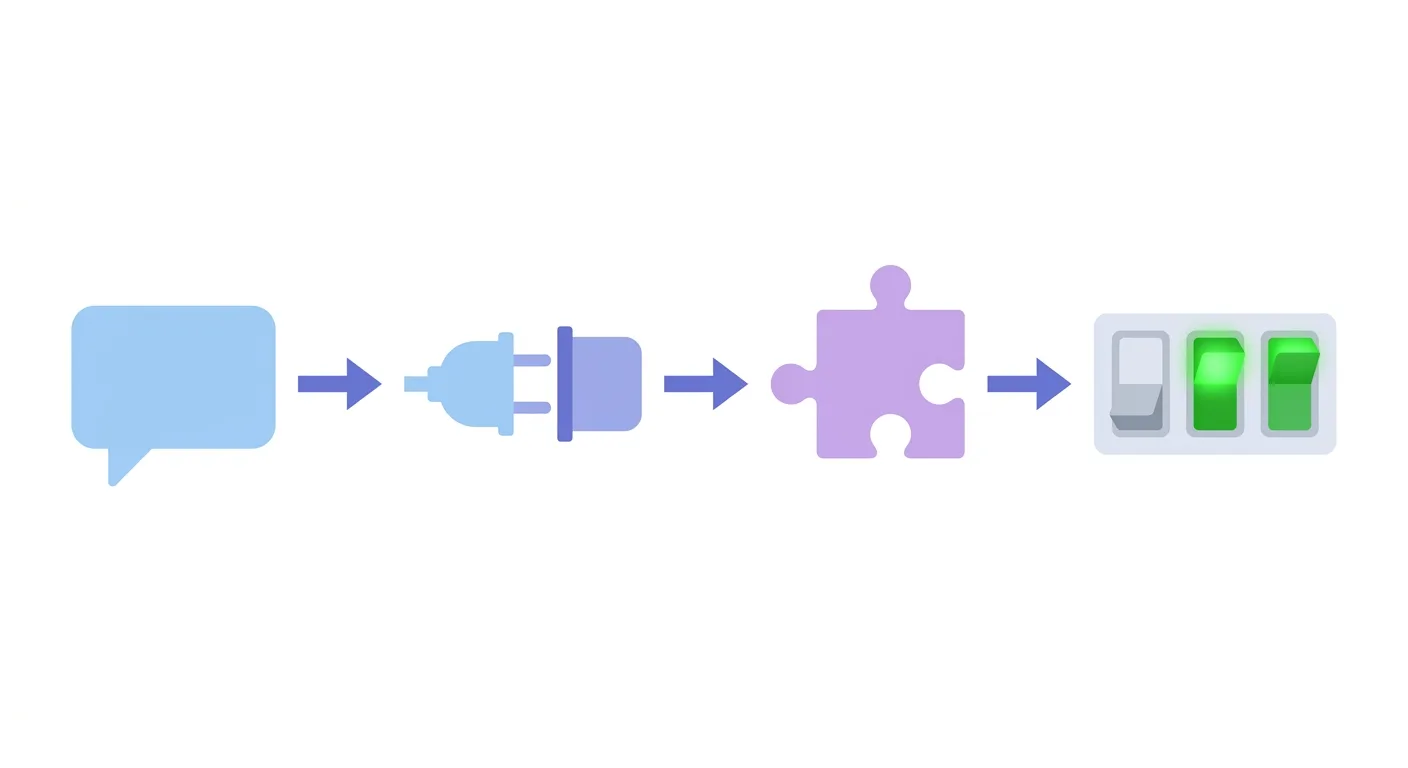 Caption: The AI tool (speech bubble) connects through WordPress's standard interface (adapter plug) to Yoast (puzzle piece), which then adjusts the post's SEO settings (toggles).
How the WordPress Abilities API Works
According to Yoast's developer documentation, the Abilities API has four parts:
| Part | What it does | Plain-language analogy |
|---|---|---|
| Registry | Plugins register what they can do, with structured input and output formats | A restaurant menu |
Discovery endpoint /wp-json/wp-abilities/v1/abilities |
Any tool can list which abilities a site has | Reading the menu |
Execution endpoint /run |
Calls one registered ability | The order window |
| Permission checks | Every ability checks whether the caller has permission | Staff confirming you're a member |
WordPress 6.9 ships with 3 default abilities built in: core/get-site-info, core/get-user-info, and core/get-environment-info (WordPress Developer Blog, 2026). What Yoast does is register SEO-related abilities on top of that.
What Is WordPress MCP?
MCP (Model Context Protocol) is a protocol that lets AI tools fetch external data and call external functions. The WordPress MCP Adapter is an official package in the "AI Building Blocks for WordPress" initiative. Its job is to turn Abilities into MCP tools that AI tools can call.
The WordPress Developer Blog's example is that it lets AI tools "like Claude Desktop, Claude Code, Cursor, and VS Code" discover and call WordPress abilities. Yoast's integration page puts it more broadly: "this works with any MCP-compatible AI client, not just ones Yoast has built a special connection for."
Two details for engineers:
- Once the MCP Adapter is installed, it registers a default server, mcp-adapter-default-server, plus three abilities: discover-abilities, get-ability-info, and execute-ability
- An ability has to be marked with
meta.mcp.publicto show up in the default server
While writing this article, we read two Yoast announcements, one setup guide, one integration page, and one developer document, plus the WordPress Developer Blog and two release notes on GitHub. Once we'd read them all, we found that each one describes a different scope of abilities, and the differences track the publication dates. So the sections below go by date, each quoting its own document's scope, without merging them into a single conclusion.
The First Version in April 2026: AI Could Only See 3 Kinds of Scores
On 2026-04-28, Yoast released a connector to the WordPress Abilities API, which it described as "built to work hand in hand with WordPress 6.9" (Yoast announcement, 2026-04-28, 2026). In this version, AI tools could only read, not change anything.
The April announcement lists what AI tools can read from your most recent posts:
- "SEO scores and focus keyphrases"
- "Readability scores"
- "Inclusive language scores"
By the September 29 announcement, Yoast looked back on the April version this way: "Since its release in April, Yoast SEO already registers three abilities with WordPress’s Abilities API: SEO scores, readability scores, and inclusive language scores for your most recently modified posts."
Notice the difference? The April announcement mentions focus keyphrases; the September look-back mentions only 3 kinds of scores. Both are official wording, so we quote them as-is and don't judge which one is right.
The September look-back also describes the April version's limit: AI tools at the time "had no standardized way to read the underlying fields or change them". In other words, AI could see the scores but not the fields behind them, let alone change them.
Today's developer documentation still labels these 3 score abilities as read-only. In plain terms, at this stage AI could only look at the report card, not touch the homework.
The September Update and the 28.7 Release: Which Fields AI Can Read and Change
Yoast's announcement on 2026-09-29 let AI tools change SEO fields for the first time: four technical settings, canonical, robots flags, cornerstone, and schema type (Yoast announcement, 2026-09-29, 2026). Being able to change titles and descriptions only made it into the release notes with the 28.7 release on 2026-10-13.
The 2026-09-29 Announcement: New Read Access and 4 Writable Fields
This announcement added three things:
- The read ability
yoast-seo/get-post-seo-data: returns the title, meta description, robots flags, schema type, canonical, social previews, and scores; you can find a post by its ID, permalink, or a title search - Writable fields: the original wording is "Core technical settings are now writable from your AI tool: canonical, robots flags, cornerstone, and schema type."
- Bulk operations: get, update, and filter can be applied across multiple posts in one call, with results returned for each post
Note that the 9/29 writable list has only those 4 technical fields. Titles and descriptions aren't on it.
The focus keyphrase is deliberately locked. The original wording: "Your focus keyphrase stays read-only. You always set it yourself, and it is never generated for you." Yoast's reason is that changing it automatically "could invalidate content briefs or marketing workflows", and it would also throw off every analysis that follows.
The 28.7 Release on 2026-10-13: Titles and Descriptions Added
The Yoast SEO 28.7 release notes show "Release date: 2026-10-13", and there's just one item under Enhancements: "Allows agents to update titles and descriptions via the respective Yoast Ability." (GitHub: Yoast SEO 28.7, 2026)
When we read GitHub's public API on 2026-10-20, 28.7 was marked as a release (prerelease=false), published on 2026-10-13, and was the latest release as of that day.
The Full List on the Setup Guide Page Today
Yoast's setup guide page, read on 2026-10-20, lists 11 fields that AI can update, and states: "The update Ability only changes the fields you provide. Other SEO data remains unchanged." It only changes the fields you specify and leaves the rest alone.
Put the three documents side by side, and the differences become clear. In the table below, each column only lists the scope that document itself states:
| Field | 2026-09-29 announcement | 28.7 release notes (2026-10-13) | Setup guide page (read 2026-10-20) |
|---|---|---|---|
| Canonical URL | Listed as writable | — | Listed as updatable |
| Robots settings (noindex, nofollow, etc.) | Listed as writable | — | Listed as updatable |
| Cornerstone content | Listed as writable | — | Listed as updatable |
| Schema type | Listed as writable (schema type) | — | Listed as updatable (Schema page type, Schema article type) |
| SEO title, Meta description | Not on the writable list | Original wording: titles and descriptions | Listed as updatable |
| Open Graph title, description | Not on the writable list | Original wording: titles and descriptions | Listed as updatable |
| X/Twitter title, description | Not on the writable list | Original wording: titles and descriptions | Listed as updatable |
| Focus keyphrase | Read-only | — | On the read list, not on the update list |
A dash in the table means that release note only covers what was added, so the row falls outside its scope. For how to choose a Schema type and what each one means, see our Schema structured data guide.
So you could not change titles starting in September. According to the official documents, writable titles and descriptions first appeared in 28.7.
The integration page phrases it yet another way: you can change "canonical URL, robots flags, cornerstone status, and schema type. You can also update titles and descriptions, including for social previews. Your focus keyphrase stays read-only."
How the Developer Documentation Groups Them: 3 Read-Only Scores + 2 Post SEO Data Abilities
The developer documentation doesn't say there are only 3 read-only abilities. It splits them into two groups:
- 3 read-only Analysis scores abilities: SEO, readability, and inclusive language scores for the most recently modified posts
- 2 Post's SEO data abilities: one reads a single post's SEO data, and one updates it
All of these can be found at /wp-json/wp-abilities/v1/abilities?category=yoast-seo. Each ability also declares three behavior annotations: Read-only, Destructive (may be destructive), and Idempotent (calling it again won't change anything further).
 Caption: Glasses mark fields that can only be read, pencils mark fields that can be changed, and the locked card is the focus keyphrase.
New Toggle Abilities in the 28.8 Beta (Beta Only, Not Yet a Stable Release)
What follows is from the Yoast SEO 28.8 RC (beta). As of 2026-10-21, the stable release has not been published, and its contents may differ. 28.8-RC1 is marked as a prerelease on GitHub, published on 2026-10-13 (GitHub: Yoast SEO 28.8-RC1, 2026).
The RC1 release notes add 7 kinds of abilities that let AI agents:
- Toggle the llms.txt feature on and off
- Toggle the XML sitemaps feature on and off
- Toggle the Open Graph data feature on and off
- Toggle the X card data feature on and off
- Toggle the Schema Framework feature on and off
- Toggle the Schema Aggregator feature on and off
- Update Site representation settings
This is a shift in direction. The abilities in the stable release all change individual posts; these RC1 additions are site-wide feature switches, so the scope of impact goes from one post to the whole website.
Before AI switches off llms.txt or the XML sitemap in one go, it's best to understand what they do: see our llms.txt setup guide and sitemap SEO guide.
RC1 includes two more points:
- AI alt text generation for WooCommerce product images in Yoast WooCommerce SEO, with a new Image alt text tab in the bulk editor
- The original wording "Sets the minimum supported WordPress version to 7.0." In other words, RC1 sets the minimum supported WordPress version to 7.0
When we read GitHub's public API on 2026-10-21, 28.8-RC2 (2026-10-16) and RC3 (2026-10-19) contained only Non user facing items. RC4 (2026-10-20) fixed two bugs: the time the schema aggregation endpoint was enabled was not recorded when the setting was saved from the Site features page, and the AI features' free trial was treated as already started after the Yoast SEO settings were saved (GitHub: Yoast SEO 28.8-RC4). None of the three added or removed any abilities.
How to Set Up Yoast SEO Abilities: Official Steps and Permission Requirements
Setting up Yoast SEO Abilities takes three things: a WordPress site with Yoast SEO active, an AI tool that supports the WordPress Abilities API and MCP, and sufficient account permissions (Yoast help: How to set up and use Yoast SEO Abilities, accessed 2026-10-20). The developer documentation lists two more prerequisites.
| Requirement | Source |
|---|---|
| A WordPress site with Yoast SEO installed and activated | Setup guide page |
| An AI tool that supports the WordPress Abilities API and MCP | Setup guide page |
| An account that can access advanced SEO settings and edit the posts you'll work on | Setup guide page |
| WordPress 6.9 or higher | Developer documentation |
| Indexables enabled and fully built | Developer documentation |
There's one more step to read carefully. The 9/29 announcement says "Connect your own LLM subscription to Yoast first." That is, connect your own LLM subscription to Yoast first; once that's done, go to Yoast SEO → Integrations and look for the new AI & agentic group. The integration page's introduction says "using your own LLM".
The setup guide page's requirements list starts from three items: the site, the AI tool, and permissions. Whether you need to connect an LLM subscription first, go by what your plugin dashboard actually shows.
Yoast's 4 Connection Steps
The setup guide page states up front: "The exact steps depend on the AI tool you’re using." Every AI tool's screens are different, but the general direction is these 4 steps:
| Step | Official description | In plain terms |
|---|---|---|
| 1 | Open your AI tool's connection settings and look for the option to add a new connection, plugin, or MCP server | Go to the AI tool's settings and find where to add a connection |
| 2 | Add your WordPress site; you may need its URL and authorization | Tell the AI tool where your site is |
| 3 | Follow the prompts to authorize the connection | Agree to let the AI tool act on your site |
| 4 | Open a new conversation and ask the AI to confirm it's connected to the site | Ask it whether it's connected, to confirm it worked |
Yoast's example for step 4 uses ChatGPT, asking whether it's connected to a particular website.
Can you set it up yourself without knowing how to code? The integration page FAQ answers: "No, but connecting an AI tool can be a technical step or have technical implications, so you or a developer on your team will likely handle it." You don't have to be a developer, but most likely someone with a technical background will handle it.
Two Ways to Connect with the WordPress MCP Adapter
This part is mainly for engineers. According to the WordPress Developer Blog, the connection method depends on where the site lives:
| Method | Best for | What you need |
|---|---|---|
| STDIO | Local WordPress development environments | WP-CLI installed locally |
| HTTP | Publicly accessible WordPress sites | The @automattic/mcp-wordpress-remote proxy, with Node.js installed locally; authentication via WordPress application passwords or custom OAuth |
In a comment reply on 2026-02-12, the article's author also wrote that for self-hosted sites there currently "isn’t an available OAuth solution, so you’re reliant on JWT Tokens or Application Passwords".
Permissions: How Two Official Pages Word It
On permissions, two Yoast pages use different wording. Quoted as-is:
| Official page | Original wording |
|---|---|
| Abilities integration page | "By default, only users with admin-level access to your Yoast SEO settings can use these abilities." |
| Setup guide page | "users need the appropriate advanced metadata capability, and access is further restricted to posts they are allowed to edit." |
The 9/29 announcement says "Access follows native WordPress capability checks. There is no separate permission system to learn." Permissions reuse WordPress's own account permissions, with no separate system.
Confirm on your own site which accounts can actually use it. The setup guide page also reminds you: "Make sure you understand what permissions you’re granting before you approve the connection."
This reminder resonates with us. In 2026-09, we read and evaluated the source code of the open-source tool claude-seo, and decided not to install it: it adds a large number of skills and agents to Claude Code and triggers checks on every file write. Figuring out what a tool will get access to and what it will do before you authorize it is much less trouble than installing it and then tearing it out. Our roundup of other open-source SEO/GEO tools is in open-source SEO/GEO tools.
Not Sure How to Plan Permissions, Accounts, and Rollback?
Before you let AI agents touch your site, it's best to think through how much permission the account should have and what records to keep before each change. AI SEO Hacker's WordPress SEO health check consultation can help you check this first.
Risk and Undo: What's the Condition Behind Yoast's "Reversible"?
Yoast says changes made through the Abilities API can be undone, but only while the AI tool "holds the changed values in context", meaning the AI still remembers the values from before the change (Yoast announcement, 2026-09-29, 2026). Once the conversation ends, the old values are gone with it.
This passage matters, so here it is in full:
"Any change made through the WordPress Abilities API can be rolled back, as long as your AI tool holds the changed values in context. In practice, read a post’s SEO data before you update it. Then stay in that session while you review the result. Once the context is gone, the previous value goes with it, so treat the read call as part of the write."
In plain terms, that's three points:
- Before changing anything, have the AI read out the post's original SEO data
- While you check the result, stay in the same conversation and don't close it
- Once the conversation's context is gone, the original values can't be recovered
The integration page's taglines say "Always reversible" and "Undo any change while in context". Read those two lines together with the passage above. "while in context" is the condition.
The developer documentation has one more detail. If an ability's Destructive annotation is null, the original wording is: "When null, the ability makes no claim either way, so a client should treat it as potentially destructive." If it isn't labeled, treat it as potentially destructive.
The site-wide toggles in the 28.8 beta raise the risk another level. This is our inference from the scope of the abilities: get one post's canonical wrong, and one page is affected; switch off the site-wide XML sitemaps or Schema feature, and the whole website is affected.
WordPress's official security advice is worth following too. Three lines from the original:
- "Use dedicated users for MCP access": use a dedicated account for MCP connections, and create a dedicated role with limited permissions on the live site
- "Prefer read-only abilities for public MCP endpoints": for public connection endpoints, open only read-only abilities where possible
- "start small. Begin by exposing a few non-destructive, read-only abilities": start with a few non-destructive, read-only abilities
Compare that with the manual approach: noindex for a single post is normally set in the post editor's Advanced tab, with the steps in the noindex section of our Yoast SEO guide. When you change it by hand, you can see the screen before the change; when AI changes it, you have to rely on records.
How Should Business Owners Use Yoast AI? Read-Only First, Then a Small Scope, and Keep Records
We recommend business owners use Yoast SEO Abilities in three steps: first let AI only read data, then pick a few posts for small-scale changes, and keep a separate record of every change. This is our recommendation, not a Yoast rule. It's based on the undo condition Yoast states: the AI has to remember the old values in context (Yoast announcement, 2026-09-29, 2026).
Step 1: Read-Only First, and Let AI Produce a Report
Start by letting AI read only scores and fields. The official examples in the developer documentation include requests like this that read without changing anything: asking AI what patterns it sees in recent posts' SEO scores, or checking whether the post at a given URL is set to be indexed.
This step doesn't change the site at all, and you can already find the problem pages.
Step 2: Small Scope, a Few Posts at a Time
Once you're sure AI reads correctly, pick a few posts to test changes on, such as canonical or noindex. Before each change, ask AI to read out the original values; after the change, stay in the same conversation to check the result.
The developer documentation has a bulk example: ask AI to find all posts on a given topic, then set every one of them without a custom SEO title to noindex. Requests like this affect many pages at once and carry the highest risk. We recommend trying them on a staging site first, then using them on the live site.
Step 3: Keep Records, Don't Rely Only on Conversation Memory
Yoast's undo relies on conversation memory, and conversation memory is not a backup. So for every change, save a separate copy of the original values AI read and the changed values in your own document or spreadsheet.
After the changes, check those pages' index status in Google Search Console, with the steps in our Google Search Console tutorial. For which technical items to check after changes, use our technical SEO checklist.
On accounts: don't hand your own administrator account directly to an AI tool. Create a dedicated account, give it just the permissions Yoast requires, and no more.
To see what other AI SEO tools exist besides Yoast, see our AI SEO tools roundup.
 Caption: Every time you let AI change a setting, write down what changed and when, so you can get the original values back if something goes wrong.
FAQ
Does Yoast SEO Abilities cost money?
Yoast's integration page FAQ states it's free: read access, core SEO field updates, revert, and bulk operations are all included in Yoast SEO at no extra cost. However, the 2026-09-29 announcement says you first need to connect your own LLM subscription to Yoast, and what that LLM subscription costs depends on each AI service.
Will AI change my focus keyphrase?
No. The 2026-09-29 announcement and the integration page both state that the focus keyphrase is read-only to AI tools. You always set it yourself, and it's never generated automatically. Yoast's reason is that changing the focus keyphrase automatically could disrupt content planning and throw off every analysis that follows.
Can I undo a wrong change made by AI?
Yes, with a condition. Yoast states that undo only works while the AI tool still holds the pre-change values in context. The approach is to read out the original data before changing anything and stay in the same conversation while checking the result; once the conversation ends, the old values are gone with it. We recommend keeping a separate record of your changes.
Which AI tools can use Yoast AI's Abilities?
Yoast's integration page says any MCP-compatible AI client can, not just the ones Yoast has specifically connected. Official examples include Claude Desktop, Claude Code, Cursor, and VS Code, and the setup guide page's example uses ChatGPT. Whether a given tool can actually connect, go by each AI tool's own documentation.
Which WordPress version does Yoast SEO Abilities need?
Yoast's developer documentation lists WordPress 6.9 or higher as a prerequisite, with Indexables enabled and fully built. Separately, the 28.8-RC1 beta sets the minimum supported version to WordPress 7.0. As of 2026-10-21, the 28.8 stable release hasn't been published, so go by the official notes at the time of release for its version requirements.
Before You Start with Yoast SEO Abilities, Check These 4 Things
Yoast SEO Abilities' read, update, undo, and bulk features are all free (Yoast Abilities integration page, accessed 2026-10-20). The barrier isn't price; it's setup and permissions. Before you start, check these 4 things:
- Version: WordPress 6.9 or higher with Indexables built; and whether you're on a stable release or a beta
- Account: the AI tool uses a dedicated account, with permissions limited to what it needs
- Scope: open read access only at first, and make changes once you're sure AI reads correctly
- Records: save the original and changed values separately for every change
AI can change fields for you, but someone still has to decide which page to change and why.
🎯 AI Can Change Fields, but a Person Still Has to Make the Call
What to change, why to change it, and how to check it afterward all take an overall judgment of SEO and GEO. AI SEO Hacker can look after your site's SEO and GEO, from technical settings to content planning. Tell us about your site.
Further Reading
- Yoast SEO Guide: WordPress SEO Plugin Setup
- Yoast, AIOSEO, Rank Math: How to Choose Among the Three Plugins
- llms.txt Setup Guide
- Open-Source GEO Tools Roundup
- Technical SEO Checklist
References
- New: Yoast SEO Content Analyses scores can now chat with "AI" through Abilities API - Yoast
- Turn your AI tools from spectators into collaborators with Yoast - Yoast
- How to set up and use Yoast SEO Abilities - Yoast
- Abilities - Yoast integrations
- Yoast SEO Abilities Overview - Yoast developer portal
- From Abilities to AI Agents: Introducing the WordPress MCP Adapter - WordPress Developer Blog
- Yoast SEO 28.7 - GitHub
- Yoast SEO 28.8-RC1 - GitHub
- How to optimize your content with the Yoast SEO sidebar - Yoast
- Yoast SEO 28.8-RC4 - GitHub
![Yoast SEO Guide: WordPress SEO Plugin Setup [2026]](/_next/image?url=%2Fblog%2Fimages%2Fseo-tools%2Fyoast-seo-guide-01.webp&w=3840&q=75)
![WordPress SEO Plugins: Yoast vs AIOSEO vs Rank Math [2026]](/_next/image?url=%2Fblog%2Fimages%2Fseo-tools%2Fwordpress-seo-plugins-compared-01.webp&w=3840&q=75)
![Best SEO Analysis Tools: Essential Weapons for Site Auditing and Optimization [2026]](/_next/image?url=%2Fblog%2Fimages%2Fseo-tools%2Fseo-analysis-tools-01.webp&w=3840&q=75)