![Open-Source GEO Tools: 10 Free GitHub Projects [2026]](/_next/image?url=%2Fblog%2Fimages%2Fseo-tools%2Fopen-source-geo-tools-01.webp&w=3840&q=75)
If you want to know whether ChatGPT mentions your brand, there are plenty of paid tools for that. GitHub also has a whole row of open-source GEO tools you can host yourself. Does using them really save you that money?
Some of it, but not all of it. Open source saves you the software license fee. The server, the AI provider's API and the data source are mostly still yours to pay for.
This article reviews 10 open-source GEO tools and related projects on GitHub. Some track how ChatGPT, Claude and Perplexity answer questions about your brand. Some help you decide which AI crawlers to block. Some are the specs themselves, such as llms.txt and Schema.org. For each one we spell out what it does, its license, who it suits, and what you need to prepare before you start.
There is no ranking and no score. These 10 projects do very different jobs, and forcing them into a ranking would only mislead you.
💡 Want to know how AI search sees your website right now? Start with a Free AI visibility check.
Key takeaway: Open-source GEO tools publish their code and can be self-hosted, but "free" only covers the software license. According to each project's README (checked 2026-10-20), elmo needs an AI provider's API key, OpenSEO needs a DataForSEO key, and claude-seo needs Claude Code first. Before you pick a tool, ask three questions: who maintains the server, what the license allows, and where the data lives.
What Are Open-Source GEO Tools, and How Do They Differ from Paid SaaS?
Open-source GEO tools are AI search optimization tools whose code is public on GitHub, under a license that lets you download, self-host and modify them. Take elmo: it describes itself as "an open-source, self-hosted platform for optimizing your AI visibility", and all results are stored in your own PostgreSQL database (elmo README, checked 2026-10-20).
First, separate two terms.
Open-source SEO tools are the broad category: anything with public code that handles search optimization counts, such as Lighthouse, maintained by the Chrome team. Open-source GEO tools are a small subset of that, focused on whether AI search mentions you and cites you.
Compared with paid SaaS, they differ in three ways:
| Aspect | Open source, self-hosted | Paid SaaS |
|---|---|---|
| Where the data lives | Your own database (e.g. elmo uses PostgreSQL, Canonry uses SQLite) | The vendor's servers |
| License | Depends on the project: MIT and Apache-2.0 are more permissive, AGPL-3.0 carries source-code obligations | Depends on the terms of service |
| Maintenance | You carry the server, updates and API costs | The vendor handles it |
The word "free" needs unpacking.
elmo's README states that self-hosting requires an API key from at least one AI provider or scraping service, plus a Jev key for analyzing the answers. OpenSEO is the same: you need a DataForSEO API key to get SEO data. The software costs nothing; the data costs money.
Open source isn't better at everything either. elmo admits in its own README that some paid tools offer prompt volume estimates and AI crawler behavior analysis, and says "Elmo doesn't do those things today". A project willing to write down its gaps makes its other claims easier to trust.
 Caption: With open-source self-hosting you look after the machine yourself and the data stays in your own database; with paid SaaS the vendor runs it and you only see the results.
10 Open-Source GEO Tools Compared: Use, License and Who They Suit
These 10 projects fall into five groups: AI visibility tracking, traditional SEO data, making your site readable to AI, content production and publishing, and AI assistant skill packs. MIT is the most common license, with 6 projects; Apache-2.0 has 3; GEOFlow is the only AGPL-3.0 project (each project's GitHub page, checked 2026-10-20).
| Project | What it does | License | Who it suits | Latest version (date) |
|---|---|---|---|---|
| elmo | Tracks brand mentions and citations in AI answers | MIT | Teams or agencies that want to self-host and keep their own data | v0.7.3 (2026-10-19) |
| Canonry | AI visibility plus search traffic evidence, a platform built for AI agents to operate | MIT (from 5.0.0) | Single teams comfortable with the command line or AI agents | v6.0.0 (2026-10-01) |
| GEO Optimizer | Scores a site's AI readability from 0 to 100 and generates fix files | MIT | People who want a quick no-install check first, and developers | v4.19.5 (2026-10-18) |
| OpenSEO | Traditional SEO data such as keywords, rankings and backlinks | MIT | People who find commercial SEO suites too expensive and are willing to pay for data by usage | v0.1.14 (2026-10-19) |
| ai.robots.txt | A list of AI crawlers and blocking config files | MIT | Site admins deciding which AI crawlers to block | v2.1 (2026-10-17) |
| llms-txt | The llms.txt spec itself | Apache-2.0 | People who want to write llms.txt by hand to the spec | 0.0.7 (2026-09-24) |
| Schema.org | The structured data vocabulary | Apache-2.0 (documentation license: see the official FAQ) | Engineers writing JSON-LD | v30.1 (2026-09-15) |
| Lighthouse | Web performance, SEO and accessibility audits | Apache-2.0 | Any website; it's built into Chrome | v13.5.0 (2026-09-18) |
| GEOFlow | Knowledge base → AI writing → quality checks → multi-site publishing | AGPL-3.0 | Teams with engineering staff that run a lot of website content | v3.1.0 (2026-09-09) |
| Claude SEO | An SEO/GEO audit skill pack inside Claude Code | MIT | SEO practitioners already using Claude Code | v2.4.2 (2026-10-04) |
Licenses and versions checked 2026-10-20. In the "Who it suits" column, only elmo's entry is the audience its README names; the rest are our own judgment based on each README's feature description.
The table is ordered by tool category (AI visibility tracking, SEO data, making your site readable to AI, content production, AI assistant skill packs), not by rank. We also left star counts out on purpose: stars only show how many people are watching, which is a different question from whether a tool suits you.
Since October 2026, our news monitoring has also tracked release updates from 11 SEO/GEO open-source projects. This table alone shows why it's worth watching: of the 10 projects, 6 published their latest version in October. When the version changes, features and licenses can change with it; Canonry only switched to MIT at 5.0.0. Before you use one, read the latest release notes.
 Caption: The telescope is AI visibility tracking, the book is traditional SEO data, the archway is making your site readable to AI, the paper plane is content production and publishing, and the robot in the middle is AI assistant skill packs.
AI Visibility Tools: What elmo, Canonry and GEO Optimizer Each Measure
If you want an open-source tool to track AI visibility, there are three main choices right now, but they measure different things. elmo and Canonry look at whether you appear in AI answers; GEO Optimizer looks at whether your site is ready to be read by AI, which its README calls "input-side readiness" (GEO Optimizer README, checked 2026-10-20).
Which one suits you? Start with what each one measures.
elmo: Tracking How AI Answers Talk About Your Brand
elmo has about 472 stars (checked 2026-10-20), uses the MIT license, and takes its name from LLMO (LLM Optimization).
According to its README, it tracks how ChatGPT, Claude, Perplexity, Gemini and Google AI Overviews mention, cite and describe your brand. What you can see includes:
- Visibility score: the share of each prompt in which you're mentioned, and how that changes over time
- Sentiment and ranking: whether the tone is positive, neutral, mixed or negative when you're mentioned, and where you rank among the companies named; sentiment is converted to a 0–100 score
- Citation sources: cited URLs are split into your own domain, competitors, social, Google properties and institutional sources
- Competitor share of voice
- Query expansion: which searches the AI ran before answering, and how it rewrote your wording
For what query expansion is and why it affects whether you get seen, see Query Fan-Out Explained.
The measurement method is public too. A background job runs each prompt on a schedule, several times a day by default; results, together with each engine's raw output, all go into PostgreSQL. In the README's words, "any metric can be re-derived and audited later": any number can be recalculated and checked after the fact.
Work out the cost first. Self-hosting uses Docker Compose and needs at least one API key from an AI provider or scraping service, plus a Jev key from TypeSafe to analyze mentions and sentiment in the answers, billed by the number of answers analyzed. If you don't want to self-host, there's a paid hosted version, Elmo Cloud; see the official site for pricing.
The README lists four kinds of intended users: teams that want to self-host, agencies providing AEO services, developers and analysts who need auditable metrics, and "Anyone priced out of enterprise AEO platforms".
Canonry: An AEO Platform Built for AI Agents
Canonry has about 187 stars (checked 2026-10-20). It describes itself as an "agent-first (CLI, MCP, API), open-source AEO operating platform": you can drive it from the command line, MCP or API, and there's also a web interface (Canonry README, checked 2026-10-20).
Three features stand out:
- Built for one team: the README says "Canonry is single-tenant", meaning one install per person or team; unrelated teams should run separate installs
- Data stays local: it uses SQLite, and you bring your own AI provider keys (BYOK); it supports Gemini, OpenAI, Meta, Claude and Perplexity, and can also connect to local OpenAI-compatible models
- Connects to search data: it can link Google Search Console, Bing Webmaster Tools, GA4 and Google Business Profile
After installing, the first step is to scan your site and save a Page Health baseline. AI Visibility is an optional feature you set up separately; it isn't there out of the box. If you haven't set up Bing's webmaster tools yet, start with how to set up Bing Webmaster Tools and connect it later.
Check the version for the license. The README says "MIT, starting with Canonry 5.0.0"; earlier versions keep their original license. The latest version is v6.0.0 (2026-10-01).
GEO Optimizer: A One-Line Check of Your Site's AI Readability
GEO Optimizer's GitHub project name is geo-optimizer-skill. It has about 1,128 stars (checked 2026-10-20) and uses the MIT license. It scores how ready your site is for AI search on a 0–100 scale, then generates fix files.
Its biggest strength is the low barrier. One command is enough:
uvx --from geo-optimizer-skill geo audit --url https://yoursite.com
The README says "No install, no account, no API key." If you'd rather not open a terminal, there's also a web version built on the same engine, geoready.dev.
According to the README, the score is split into 9 categories:
| Category | Maximum points |
|---|---|
| Google AI readiness | 20 |
| Robots.txt | 14 |
| Schema JSON-LD | 14 |
| Content | 14 |
| Brand & Entity | 12 |
| Meta Tags | 11 |
| llms.txt | 6 |
| Signals | 6 |
| AI Discovery | 3 |
The score bands have four levels: 86–100 is Excellent, 68–85 is Good, 36–67 is Foundation, and 0–35 is Critical.
There are three limits, and the README states them itself:
geo fixonly previews by default; it writes changes only when you add--apply. The score after fixing "is the tool's own estimate, not a measured result"- Asked whether it can guarantee AI citations, the README FAQ answers with one word: "No."
- It doesn't cover Chinese AI engines; the README names Doubao, Qwen and Yuanbao
Also, the geo citations command can actually ask AI models, but you need your own API key. The README also warns "Answers are not deterministic." and suggests running the same question 5 times before drawing conclusions. If you want monitoring and reports, there's a paid hosted version, GeoReady; see the official site for pricing.
How the Three Tools Fit Together
elmo and Canonry measure the output side, meaning how AI actually answers. GEO Optimizer measures the input side, meaning whether the site itself is ready. You need both, and you can go input first, output second: fix the site's basic problems first, then start long-term tracking.
Whichever one you use, remember this: AI answers can differ every time. A result from a single run has very little value. When we track AI citations for contracted clients, we also use an AI citation tracking tool to test fixed questions on a fixed schedule, and we look at the trend, not a single run.
To try it by hand first, follow the method in How to Check If AI Is Citing Your Website; to set up long-term metrics, see How to Measure GEO Performance.
An Open-Source Semrush Alternative: What OpenSEO Does and What It Costs
OpenSEO is the only project on this list that handles traditional SEO data. It describes itself as an "Open source alternative to Semrush and Ahrefs". It has about 24,218 stars (checked 2026-10-20) and uses the MIT license, but its data comes from DataForSEO, so you need your own API key and pay by usage (OpenSEO README, checked 2026-10-20).
If you're looking for an open-source Semrush alternative, start with its six workflows:
- Keyword research
- Rank tracking
- Competitor Insights
- Backlinks
- Site audit
- AI visibility
It also offers an MCP server and Agent Skills, so you can connect AI agents such as Claude Code, OpenClaw and Hermes and let them read your SEO data directly.
There are two ways to self-host. Docker suits trying it on your own computer; if your team needs to connect from several devices, the README recommends Cloudflare and notes that it runs on Cloudflare's free plan.
What about the data? There's only one key prerequisite. The README says "Either way, you need a DataForSEO API key to get SEO data." In other words, the software is open source, but the data is another company's paid service. When you self-host, you pay DataForSEO directly; if you don't want to self-host, there's a paid hosted version; see the official site for pricing.
Choosing a commercial SEO suite is a separate topic. For the trade-offs between tools like Semrush and Ahrefs, see the SEO tools comparison; for how general SEO tools are grouped and what each one handles, see the SEO tools guide.
Open-Source Projects That Make Your Site Readable to AI: ai.robots.txt, llms-txt, Schema.org, Lighthouse
These four projects don't track AI answers. They deal with whether AI can reach your site and understand it. Two of them aren't tools at all: llms-txt is a spec proposal, and Schema.org is the source repository for the structured data vocabulary, with a formal release roughly once a month (Schema.org GitHub, checked 2026-10-20).
ai.robots.txt: An AI Crawler Block List You Shouldn't Paste Wholesale
ai.robots.txt has about 4,205 stars (checked 2026-10-20), uses the MIT license, and its latest version is v2.1 (2026-10-17). Its one-line description on GitHub is "A list of AI agents and robots to block."
It's an AI crawler block list. The README states its scope as "AI-related crawlers of all types, regardless of purpose": everything goes in, whatever the crawler is for. The files it provides include:
robots.txt: following the Robots Exclusion Protocol in RFC 9309.htaccess: for Apache, returning an error page to crawlers on the list- Config files for Nginx, Caddy, HAProxy and lighttpd
The list is updated often, and you can subscribe to its releases page by RSS: https://github.com/ai-robots-txt/ai.robots.txt/releases.atom. As a side note, the README states that it doesn't accept AI-generated contributions.
The key words are "regardless of purpose". Read literally, that means the crawlers that power AI search and would cite you are on this block list too. If your goal is to be cited by ChatGPT or Perplexity, pasting the whole list is like shutting the door on yourself. A better approach is to use it as a reference list and decide crawler by crawler whether to block or allow.
For which crawlers to allow and how to write the rules, see the AI crawler settings guide; once you've set it up, check it again with an AI crawler access self-check.
llms-txt: llms.txt Is a Spec; Look Elsewhere for a Generator
The AnswerDotAI/llms-txt repo holds the llms.txt spec itself, not software. The document is titled "The /llms.txt file, v2", the author is Jeremy Howard, and the latest revision was on 2026-08-10 (checked 2026-10-20).
The format isn't hard. Under the spec, the only required element is an H1 with the project or site name; after that you can add a short summary, some explanatory text, and lists of links split into H2 sections. The file can sit at the site root or under any subpath.
If you want an llms.txt generator, look in these three directions:
- GEO Optimizer's
geo llms: generates llms.txt from your sitemap; add--check-driftto check for outdated URLs - GEOFlow: serves
/llms.txtautomatically once deployed - Documentation platforms and CMSs: the spec's README lists Mintlify, GitBook and Wix as generating it automatically, and there are plugins for VitePress, Docusaurus and Drupal
Before you set it up, adjust your expectations. The conclusion we reached in our llms.txt setup guide is that, as of October 2026, no major AI provider has committed in official documentation to reading it. The tools on this list say the same: GEO Optimizer's README calls it "not a proven ranking factor", and claude-seo's README says "llms.txt is not currently a citation lever".
Schema.org: The Structured Data Vocabulary
schemaorg/schemaorg has about 6,277 stars (checked 2026-10-20). It's the source repository for all of Schema.org's vocabulary, examples and release software. Issues and proposals are managed by participants in the W3C Schema.org Community Group, and the latest formal release is v30.1 (2026-09-15).
It won't check your site. Every type you write in JSON-LD takes its definition from this vocabulary; to confirm you wrote it correctly, use it alongside other validation tools. For how to write it and where to put it, see the Schema structured data guide.
Read the license in two parts: GitHub labels the repo Apache-2.0, but the README says the licenses for the documentation and the software are covered in the official Schema.org FAQ.
Lighthouse: Chrome's Built-In Web Audit
Lighthouse has about 30,914 stars (checked 2026-10-20), uses the Apache-2.0 license, and its latest version is v13.5.0 (2026-09-18). It analyzes web performance and development best practices. You can run it straight from the Lighthouse panel in Chrome DevTools, and there's also a Chrome extension and a Node CLI (Node 22 or later).
The CLI can run only selected categories: accessibility, best-practices, performance, seo. Your data doesn't leave your machine either; the README FAQ says "Report results are never processed or beaconed to a remote server."
What does it have to do with GEO? According to the llms-txt spec's README, Chrome's Lighthouse checks whether a site has llms.txt as part of its agentic browsing audit. For how to read and act on a normal performance report, see Free SEO Tools and Website Speed Optimization.
Content Production and Multi-Site Publishing: GEOFlow's Workflow and AGPL-3.0 License
GEOFlow is the only content production project on the list. Its README describes it as an open-source GEO operations system built for corporate websites, and it has about 3,858 stars (checked 2026-10-20). It's also the only project under AGPL-3.0, which means that if you modify it and offer it as a service over a network, you have source-code obligations (GEOFlow README, checked 2026-10-20).
It connects the whole content workflow:
- Central management of the knowledge base, title library, keyword library, image library, prompts and models
- AI writing
- An AI quality gate: articles pending review, blocked, flagged or expired stay as drafts
- A human review and publishing workspace
- Publishing to hosted sites, the GEOFlow Agent, WordPress REST or a generic HTTP API
- A data center that collects content, traffic and AI crawler data
Once deployed, the main site and hosted sites automatically serve four URLs: /robots.txt, /sitemap.xml, /sitemap.txt and /llms.txt.
The bar is high. The runtime needs PHP 8.3 or later, PostgreSQL (pgvector recommended), Redis, Node.js and Docker Compose. Check the version carefully too: the README says the current source is the 3.2.0-beta.2 preview, the latest stable version is 3.1.0, and it recommends using an official release in production.
A practical note for teams in Taiwan: the README is available in six languages (Simplified Chinese, English, Japanese, Spanish, Russian and Portuguese) but not in Traditional Chinese, so be ready for Simplified Chinese terminology when you read the docs.
GEOFlow's AGPL-3.0: Open-Source Obligations When You Offer a Service
AGPL-3.0 is the license on this list that most needs a careful read. Here's a summary of what the README says:
| Use case | What the README says (summarized) |
|---|---|
| Personal, business and commercial use | The open-source edition is free to use in all cases |
| Offering a modified version as a network service (SaaS) | Users who interact with it must be able to get the complete corresponding source code free of charge |
| Letting company staff use a modified version over a network | The same applies: provide a way to get the source code under Section 13 of the AGPL |
| Delivering a copy of the software to a client | You must meet the AGPL's distribution and source-code obligations |
| Earlier versions released under Apache-2.0 | They stay under their original Apache-2.0 license |
The README also states that being free covers only the software license fee; servers, domains, model APIs and third-party services are paid for by the user.
This section only summarizes the README; it isn't legal advice. Your actual obligations are set by the original license text. The README itself recommends a legal review first for complex closed-source integrations or multi-party delivery setups.
Before You Mass-Produce Content, Read This Line
GEOFlow can make content production faster. But the README has one line worth reading before you start: in its words, it is knowledge base quality, human judgment and long-term maintenance that decide whether content can consistently earn the trust of users and AI.
Tools set the speed; quality still depends on people. For the risks of mass-producing AI content, see Will Google Penalize AI Content?; if you're thinking about outsourcing articles to a cheap posting service, read the risks of cheap GEO posting services first.
Claude Code's SEO Skill Pack: claude-seo's Prerequisites and Costs
claude-seo is a Claude Code plugin, not standalone software, so you need Claude Code installed before you can use it. It has about 19,387 stars (checked 2026-10-20) and uses the MIT license. The cost column in the README's comparison table says "Free skill + Claude Code subscription": the plugin is free, Claude Code needs a subscription (claude-seo README, checked 2026-10-20).
According to the README, it includes 26 sub-skills and 19 specialist agents, covering technical SEO, E-E-A-T, Schema, GEO, local SEO, e-commerce and international SEO. These are the common commands:
| Command | What it does |
|---|---|
/seo audit <url> |
Full site audit, with several agents running in parallel |
/seo geo <url> |
AI Overviews and GEO checks |
/seo schema <url> |
Detects, validates and generates Schema.org markup |
/seo agentic <url> |
AI agent readiness, including llms.txt and Lighthouse Agentic Browsing |
Can you just install it and go? No. The README's Requirements section is clear:
- Claude Code CLI: installed as a plugin, requires Claude Code 1.0.33 or later
- Python 3.10 or later: the README notes that 3.10 reaches end of support in October 2026 and recommends 3.11 or later for new installs
- Optional: Playwright Chromium (for rendering single-page apps and taking screenshots) and Google API credentials
There's one more detail on cost. The README states that from v2.3.1, 5 of the more judgment-heavy agents run on the Opus model, so a full /seo audit costs more than it did in v2.3.0.
On data: the free version doesn't call third-party APIs by default, but it still fetches the URLs you point it at; only with Google API credentials added do you get real user experience data and indexing status.
Also, there are two versions: the public MIT version, and a private community mirror that requires membership. Before installing, confirm the source is AgriciDaniel/claude-seo so you don't install the wrong one.
In September 2026, we read claude-seo's source code and evaluated it. Our conclusion was not to install it, because it adds a large number of skills and agents to Claude Code and triggers checks on every file write. Its rules are very detailed, though, and we borrowed some of them to improve our own workflow.
For an overview of AI writing and analysis tools, see the AI SEO tools overview.
How Business Owners Should Choose Open-Source GEO Tools: Ask Three Questions First
When choosing open-source GEO tools, start with three questions instead of comparing features: who maintains the server, what the license allows, and where the data lives. For teams without engineering staff, the first question alone rules out four options, because according to each project's README, elmo, Canonry, OpenSEO and GEOFlow all require you to run your own service and database (each project's README, checked 2026-10-20).
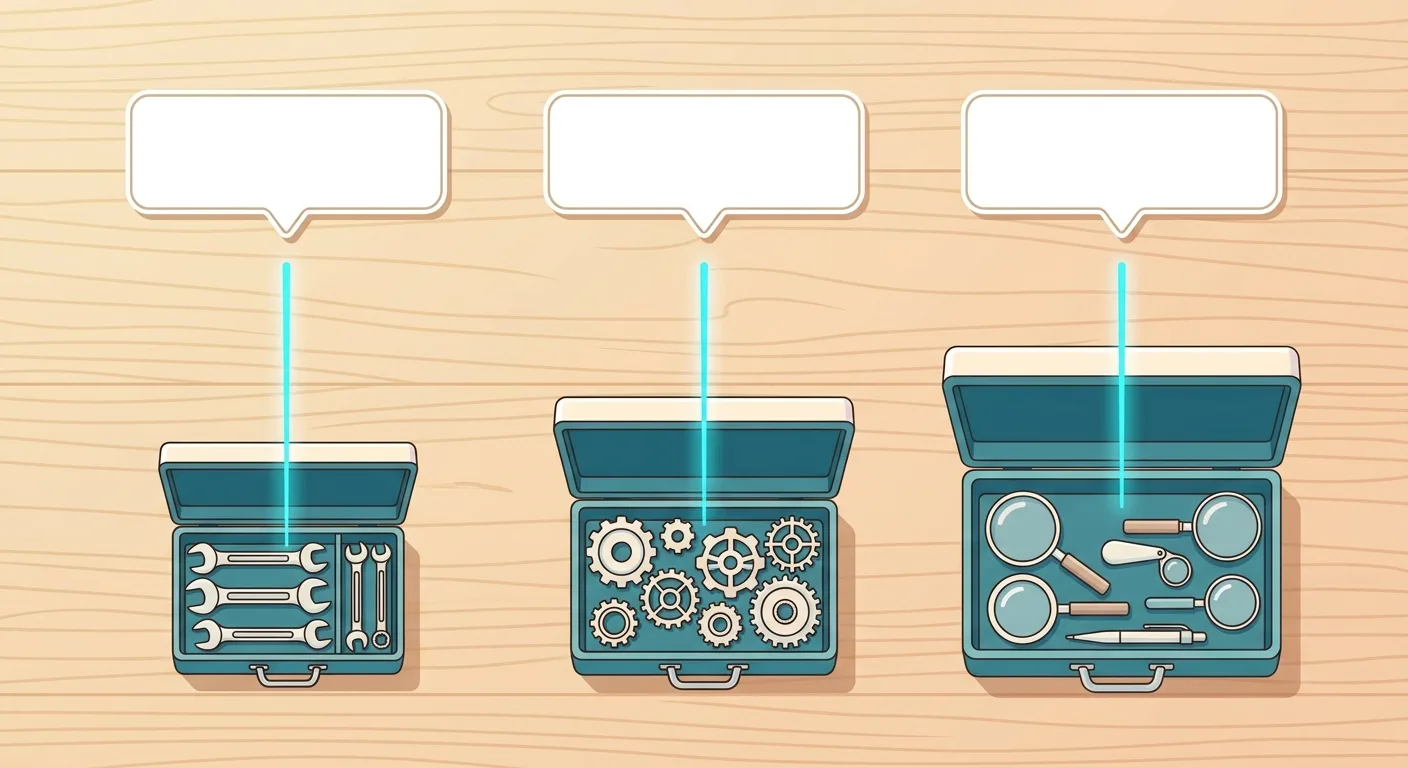
 Caption: Before choosing an open-source tool, ask three questions in order: who maintains the server, what the license allows, and where the data lives.
Question 1: Is Anyone Maintaining the Server?
| Project | What you self-host (per the README) | If you don't want to self-host |
|---|---|---|
| elmo | Docker Compose + PostgreSQL | There's a paid hosted version, Elmo Cloud |
| Canonry | A local service + SQLite | The README has a live demo so you can see the interface first |
| OpenSEO | Docker or Cloudflare | There's a paid hosted version |
| GEOFlow | PHP, PostgreSQL, Redis, Docker | The README mainly covers self-hosted deployment |
Without engineering staff, start with the ones that need no install: GEO Optimizer's web version and Lighthouse, which is built into Chrome.
Question 2: Does the License Allow What You Want to Do?
MIT and Apache-2.0 are permissive licenses. For example, GEO Optimizer's README states "The MIT license permits commercial use, modification, and redistribution".
GEOFlow's AGPL-3.0 is different. If you modify it and offer it as a service over a network, or let staff use it over a network, you have source-code obligations. When in doubt, the original license text is what counts.
Question 3: Where Does the Data Live?
| Project | Where the data lives (per the README) |
|---|---|
| elmo | Your own PostgreSQL, including the engines' raw output |
| Canonry | Local SQLite |
| GEO Optimizer | Fetches only the URL you audit, with no telemetry |
| Lighthouse | Runs locally; reports aren't uploaded |
| claude-seo | Local by default; the free version doesn't call third-party APIs |
One more point, and this one is our own judgment: as soon as you connect an AI provider's API, the prompts you set up are sent to that provider. "Your data stays with you" refers to the results database, not the whole workflow.
Self-hosting saves the license fee but costs staff time and API fees. To compare what you give up by doing it yourself versus handing it to a vendor, see How to Evaluate GEO Service Providers.
Self-Hosting Needs Someone to Run It. Want to Skip the Trial and Error?
Self-hosting needs someone to look after the server, pay the API fees, and actually understand the data. AI SEO Hacker can first look at where your site stands in AI search, so you can decide whether to build your own tools.
FAQ
Are open-source GEO tools really free?
The software license is free; the cost of using it isn't necessarily. According to each project's README (checked 2026-10-20), self-hosting elmo needs an AI provider key and a Jev key for analysis, OpenSEO needs a DataForSEO key and charges by usage, and claude-seo needs a Claude Code subscription. Count the server and the staff time to maintain it as well.
Are GitHub projects with more stars better?
Not necessarily. Stars show attention, not fit. For example, Lighthouse has about 30,914 stars and Canonry about 187 (checked 2026-10-20); they do completely different jobs, so stars can't compare them. A more practical approach is to look at the latest version date, the license, and whether the features match what you need.
I just want to know whether AI mentions me. What's the fastest way to start?
In two steps. To see whether your site is ready, GEO Optimizer has a web version, geoready.dev, and its README states it needs no install, account or API key. To see how AI actually answers, ask it by hand following How to Check If AI Is Citing Your Website. If you want to see results directly, run a Free AI visibility check.
Will using ai.robots.txt make me invisible to AI search?
It might. The ai.robots.txt README states that the list includes "AI-related crawlers of all types, regardless of purpose", without separating them by use. If you paste the whole thing into robots.txt, then read literally, the crawlers behind AI search will be blocked too. If you want AI to cite your site, use it as a reference list and decide crawler by crawler whether to block or allow.
How does GEOFlow's AGPL-3.0 license affect a company?
According to the GEOFlow README, both individuals and businesses can use it commercially for free. But if you modify it and offer it as a network service, or let staff use a modified version over a network, users must be able to get the complete source code free of charge, and delivering a copy of the software to a client also carries source-code obligations. This is only a summary, not legal advice; the original license text is what counts.
Open-Source GEO Tools Measure; Content Is What Gets You Cited
Open-source GEO tools are best at answering two questions: is your site ready, and do you appear in AI answers? Of these 10 projects, elmo and Canonry look at the output side, GEO Optimizer and Lighthouse look at the input side, and ai.robots.txt, llms-txt and Schema.org are the lists and specs you refer to when setting up your site.
When choosing tools, remember three things:
- Confirm who maintains the server first: without engineering staff, start with GEO Optimizer's no-install web version and Lighthouse
- Read the license: MIT and Apache-2.0 are permissive; GEOFlow's AGPL-3.0 needs a careful read
- Check the version: 6 of the 10 projects in the table released a new version in October 2026, so read the latest release before you use one
Tools can find problems, but they won't fix them for you. Whether AI is willing to cite you comes down to whether your site has content that clearly answers buyers' questions and cites its sources. Our approach is to write that content on the client's own website, then track changes in AI citations with fixed questions on a fixed schedule.

🎯 From Diagnosis to Improvement
Tools only measure; what actually gets AI to cite you is your content and site structure. AI SEO Hacker can take you from diagnosis to improvement: finding where AI can't understand your site, and rewriting your content into passages AI can understand and is willing to cite.
Further Reading
- How to Check If AI Is Citing Your Website
- How to Measure GEO Performance
- llms.txt Setup Guide
- AI Crawler Settings Guide
- AI SEO Tools Overview
References
- elmohq/elmo - GitHub
- Canonry/canonry - GitHub
- Auriti-Labs/geo-optimizer-skill - GitHub
- every-app/open-seo - GitHub
- ai-robots-txt/ai.robots.txt - GitHub
- AnswerDotAI/llms-txt - GitHub
- schemaorg/schemaorg - GitHub
- GoogleChrome/lighthouse - GitHub
- yaojingang/GEOFlow - GitHub
- AgriciDaniel/claude-seo - GitHub
![Bing Webmaster Tools Guide: Verify, Sitemaps, AI [2026]](/_next/image?url=%2Fblog%2Fimages%2Fseo-tools%2Fbing-webmaster-tools-guide-01.webp&w=3840&q=75)
![Yoast SEO Guide: WordPress SEO Plugin Setup [2026]](/_next/image?url=%2Fblog%2Fimages%2Fseo-tools%2Fyoast-seo-guide-01.webp&w=3840&q=75)
![Google Search Console Tutorial: From Setup to Reading Reports [2026 Complete Guide]](/_next/image?url=%2Fblog%2Fimages%2Fseo-tools%2Fgoogle-search-console-tutorial-01.webp&w=3840&q=75)